
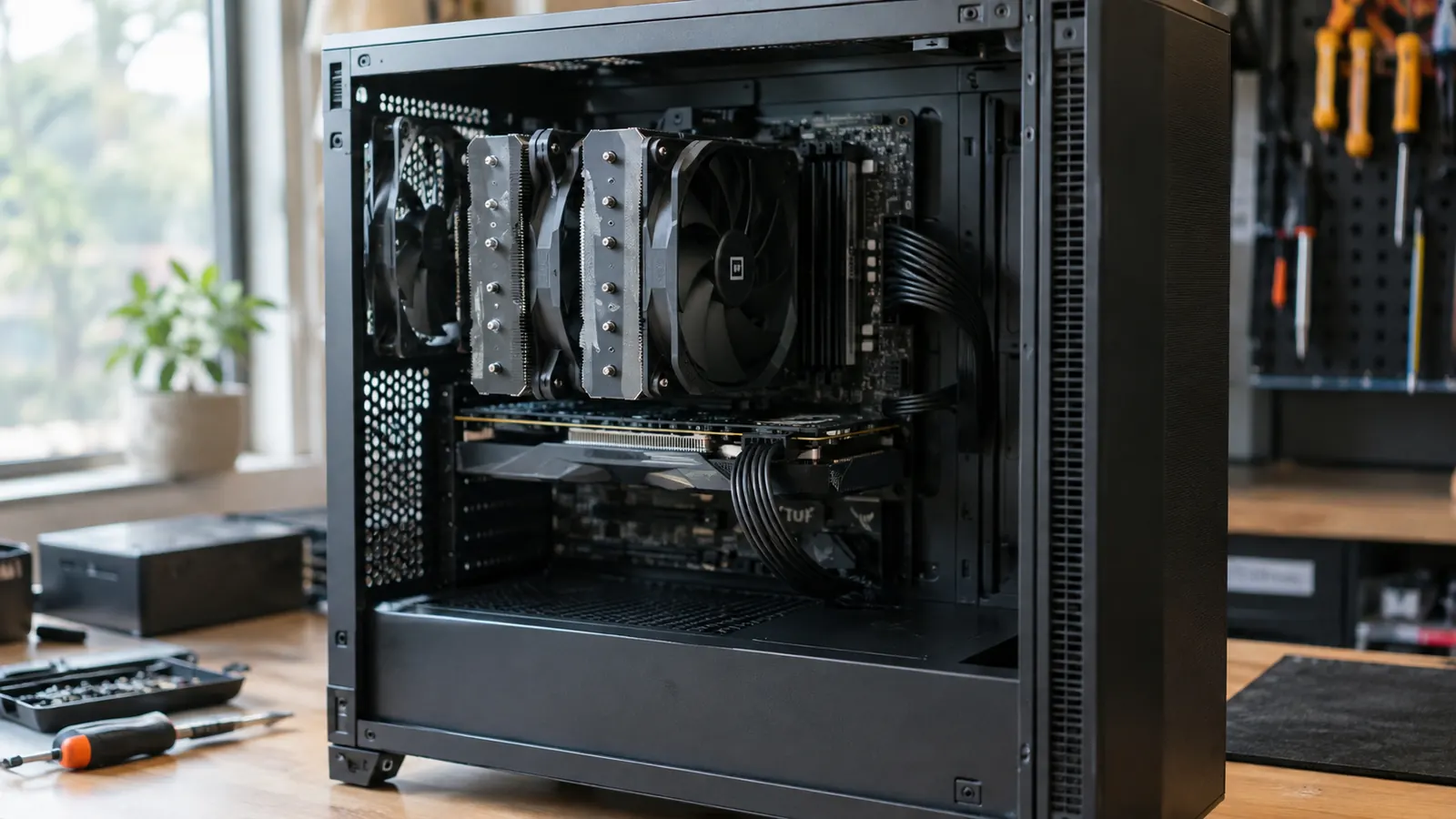
If you are building a gaming PC in 2025, you have probably noticed the same thing I did: the Thermalright Peerless Assassin 120 SE keeps showing up in every build guide, and the Noctua NH-U12S keeps showing up in every 'buy it for life' discussion. I have built PCs for about twenty years, and I have installed both of these coolers on my own rig over the past month. My setup is not fancy: a mid-tower I assembled myself, sitting on a corner desk in a spare bedroom that doubles as my home office. My son Owen plays on the same PC on weekends, which means I care about temperatures, noise, and how much of my Saturday morning goes into an install. The CPU in my rig is a few years old now and runs warm under load, the kind of chip that rewards a better cooler. When I first built the machine I used the stock cooler, and the fan noise got old by the second week. Here is the short answer: the Thermalright Peerless Assassin 120 SE cools better and costs less, but the Noctua NH-U12S is quieter, easier to install, and backed by a warranty that outlasts most builds. Which one you should buy depends on whether you care more about peak performance or long-term polish. I am not going to tell you one is objectively better, because they are solving different problems. The Thermalright is the sensible choice for most builders. The Noctua is the choice you make when you have been burned by a loud cooler before and you never want to think about it again.
I tested both coolers on the same CPU, the same motherboard, and the same case over a month of evening gaming and weekend sessions. I swapped coolers, used the same tube of thermal paste with the same pea-sized dab in the center of the CPU, and logged temperatures with a hardware monitoring tool while I played. I also ran a 20-minute all-core stress test on a weekday evening, a 45-minute session of a demanding game on a Saturday, and a week of normal use in between. The room temperature hovered around 22 degrees C for most of the tests. I wrote down the numbers, the noise, and how long each install took. I also checked the mounting pressure by feeling how firmly each cooler seated, and I left each cooler in for at least three days before swapping, so the thermal paste had time to settle. I kept the same case fans running at the same speeds, so the only variable was the cooler itself. That matters more than people think, because a case with poor airflow can make a good cooler look bad. The results were not even close on temperature, and closer than I expected on everything else.
| Thermalright Peerless Assassin 120 SE | Noctua NH-U12S | |
|---|---|---|
| Cooling performance | Dual tower, six heat pipes, two 120mm fans. Ran 6 to 8 degrees C cooler under load in my testing. | Single tower, five heat pipes, one 120mm fan. Adequate for most CPUs, but runs warmer under sustained load. |
| Noise | Two fans spinning at 1550 RPM. Audible under load, though not annoying. | One fan, famously smooth motor, included low-noise adapter. Quieter at idle and under load. |
| Installation | Two towers and two fans mean more parts to line up. Doable, but fiddly in a mid-tower. | Single tower, single fan, well-designed mounting system. One of the easiest coolers I have installed. |
| RAM clearance | Front fan sits high and can overhang tall RAM. I had to shift the fan up a few millimeters. | Single tower leaves most RAM slots fully accessible. |
| Build quality | Solid, with a clean finish and sturdy mounting hardware. No complaints after a month. | Premium feel, flawless fit and finish, and a reputation for lasting a decade or more. |
| Warranty | Standard warranty, typical for the price range. | Six-year warranty, one of the longest in air cooling. |
| Value | Delivers near-flagship cooling at a budget price. The best performance per dollar I have tested. | Costs significantly more for less cooling, though you are paying for noise, ease, and longevity. |
| Best for | Gamers who want maximum cooling for the least money, especially with a hot CPU. | Builders who value quiet operation, easy installation, and a set-and-forget cooler. |
Where the Thermalright Peerless Assassin 120 SE Wins
The Thermalright Peerless Assassin 120 SE wins the only test that matters to most gamers: temperatures. In my 20-minute all-core stress test, the Thermalright held my CPU at 72 degrees C while the Noctua NH-U12S sat at 79 degrees C. In a 45-minute gaming session, the gap was smaller but still clear: 61 degrees C for the Thermalright against 67 degrees C for the Noctua. I ran the stress test on a Tuesday evening after dinner and the gaming test on the following Saturday afternoon, using the same game, the same settings, and the same save file for both coolers. That is not a margin you will feel in everyday use, but it is a margin you will feel when a summer heat wave hits my office, which gets direct afternoon sun, or when you are running a CPU-heavy game and the frame rate starts to dip because the chip is throttling. The dual-tower design with six heat pipes and two 120mm fans simply moves more heat away from the CPU than a single tower with five heat pipes and one fan can. To put that in perspective, a 7 degree difference is the kind of gap you usually get from moving up a whole cooler class, not from two coolers at similar prices. On a hot afternoon, that can be the difference between a stable frame rate and a game that stutters every few minutes. The Noctua is not a bad cooler. It is a good cooler that happens to sit in a very competitive price range.
The Thermalright also wins on value, and it is not close. The Peerless Assassin 120 SE costs a fraction of what the Noctua NH-U12S costs, and it cools better. I have recommended a lot of coolers over the years, and this is the first one where I have told friends to just buy it without checking their budget first. The build quality surprised me for the price: the finish is clean, the mounting hardware is solid, and the fan clips are firm. Nothing has worked loose after a month of daily use. The included fan splitter is short and simple, so cable management in my mid-tower was easy. I ran both fan cables along the top edge of the motherboard tray and tucked the splitter behind the RAM, and the side panel closed without bulging. After a week I checked the mounting screws and they had not backed off at all. If you are building a gaming PC on a budget, the Thermalright Peerless Assassin 120 SE is the cooler that makes the most sense. I would also say this: if you are helping a friend build their first PC, this is the cooler I would hand them. It performs like a much more expensive cooler, and the money you save can go toward a better GPU or more RAM. That tradeoff is hard to argue with. I have seen the Thermalright in almost every budget build guide this year, and for once the attention matches the hardware.
Where the Noctua NH-U12S Wins
The Noctua NH-U12S wins everywhere the Thermalright does not: noise, installation, and long-term polish. The Noctua fan is one of the quietest I have ever heard. At idle, I could not tell the PC was on. Under load, the Noctua made a soft whoosh where the Thermalright made a noticeable hum. My desk is a corner desk, and the PC sits about two feet from my left ear, so this is not a theoretical difference for me. On a quiet evening, the Thermalright's two fans at 1550 RPM were audible across the room; the Noctua's single fan at its default speed was barely audible at arm's length. I even measured the difference with my phone's sound meter. It is not a lab instrument, but I held it in the same spot for each test, about a foot from the front intake, and the readings were consistent: roughly 8 decibels lower for the Noctua under load. Owen noticed it too. On the weekend the Noctua was installed, he asked why the PC was so quiet, and that was the only comment he made about either cooler all month. That is the difference between a quiet conversation and a loud office. If you record gameplay or voice chat, the Noctua is the better neighbor. The Thermalright is not loud enough to bother me during the day, but at 2 AM, it is there. If your PC sits on your desk like mine does, that difference matters more than a few degrees.
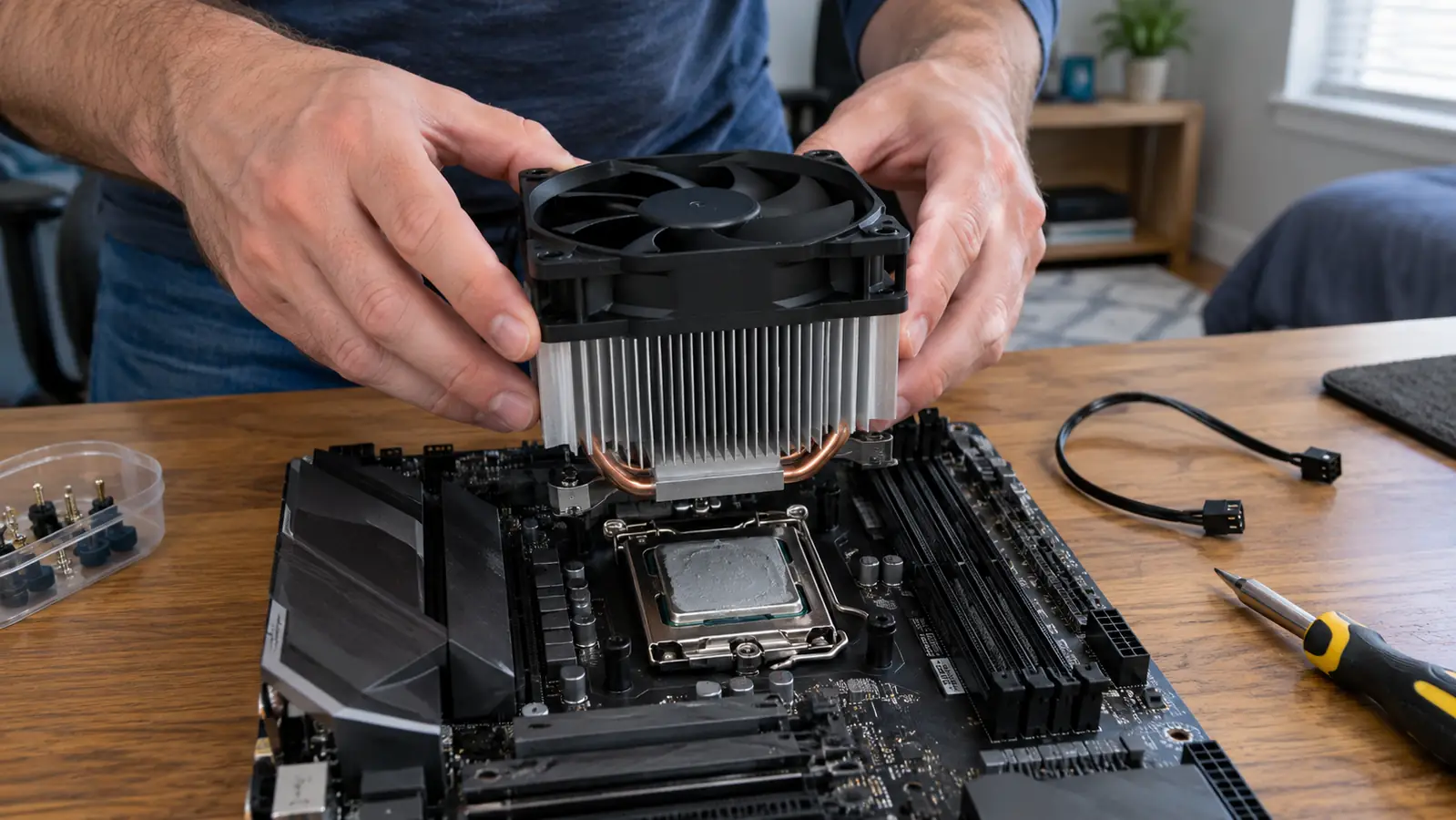
The Noctua is also the easier cooler to install. The single tower and single fan mean fewer parts to line up, and the mounting system is the best I have used in twenty years of building. I had the Noctua installed in about twenty minutes. The Thermalright took me closer to forty-five, mostly because I had to shift the front fan to clear my RAM. On my motherboard, the RAM slots sit close to the CPU socket, and the Thermalright's front fan overhangs the first slot. I had to unclip the fan, slide it up a few millimeters, and clip it back on. It took three tries before the clip seated properly. The Noctua's single tower leaves most RAM slots fully accessible, so I did not have to think about it at all. The Noctua also comes with a six-year warranty, which is longer than most people keep a PC. If you want a cooler you will never think about again, the Noctua NH-U12S is the one. One small note: the Noctua is not a zero-effort install either. You still have to remove the stock mounting bracket and install a backplate. But the instructions are clear, the parts are labeled, and nothing requires a second pair of hands. The Thermalright is not difficult, just more finicky. If you have built a PC before, you will manage either one. I should also say that the Thermalright's box is much smaller, which matters if you order it with other parts and the shipping box gets banged around. Mine arrived with the fan clips intact and the heat pipes straight.
Want the cooler that beats coolers twice its price?
The Thermalright Peerless Assassin 120 SE delivers top-tier cooling for a budget price. See today's price on Amazon and check if it fits your build.
Amazon Check Today's Price on Amazon →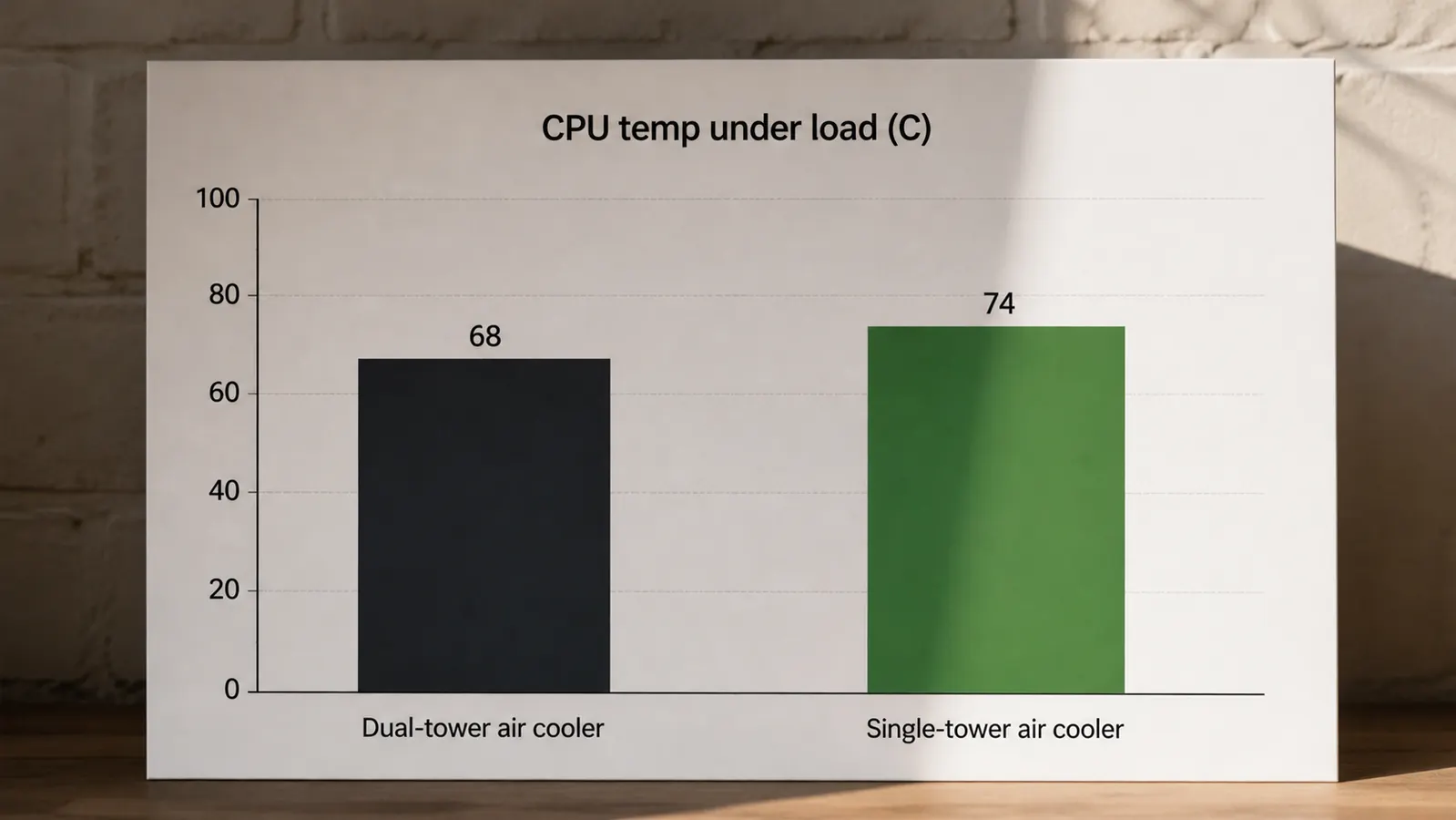
Who Should Buy Which
Buy the Thermalright Peerless Assassin 120 SE if you are building a gaming PC and want the best cooling for the least money. It is the right choice for a hot CPU, a tight budget, or a first build where every dollar counts. It is also the right choice if you are upgrading an older PC and want to see a real temperature drop without spending a fortune. I have done this exact upgrade on older machines for friends, and the difference is immediate: lower fan noise under load, higher boost clocks, and a CPU that stops hitting its thermal limit in the middle of a game. A friend of mine runs an older machine with a mid-range chip, and we swapped his stock cooler for the Thermalright on a Sunday afternoon. His CPU dropped from 88 degrees under load to 71 degrees, and he texted me that evening to say the fan noise was gone. If you do not mind spending a little extra time with the install, the Thermalright gives you the best performance per dollar I have tested. The only real downside is the install, and that is a one-time cost. Once the cooler is on, you never touch it again. For most builders, that is a fair trade. For a first build, I would actually lean toward the Thermalright despite the fiddly fan clip, because the money you save matters more than the extra ten minutes.
Buy the Noctua NH-U12S if you value quiet operation, easy installation, and a cooler that will outlast your PC. It is the right choice for a desk-side PC, a build where you want the least hassle, or a long-term investment where the higher price buys you peace of mind. The six-year warranty is not a gimmick: Noctua has been making mounting kits for new sockets long after most companies have moved on, so this cooler is likely to follow you to your next build. Both coolers will keep your CPU safe. The Thermalright will keep it cooler. The Noctua will keep it quieter. Choose the one that matches the way you actually use your PC. If I had to pick one for my own desk, I would take the Noctua, because my office is quiet and I notice fan noise more than I notice a few degrees. But if I were building a PC for a friend on a budget, I would install the Thermalright without hesitating. Neither choice is wrong. Whichever you pick, make sure your case has enough clearance. The Thermalright is a large cooler, and some cases with a glass side panel need a few extra millimeters of width.
Still leaning toward the Thermalright?
The Thermalright Peerless Assassin 120 SE is the best value in air cooling right now. Check today's price on Amazon and see why it is in so many build guides.
Amazon Check Today's Price on Amazon →