
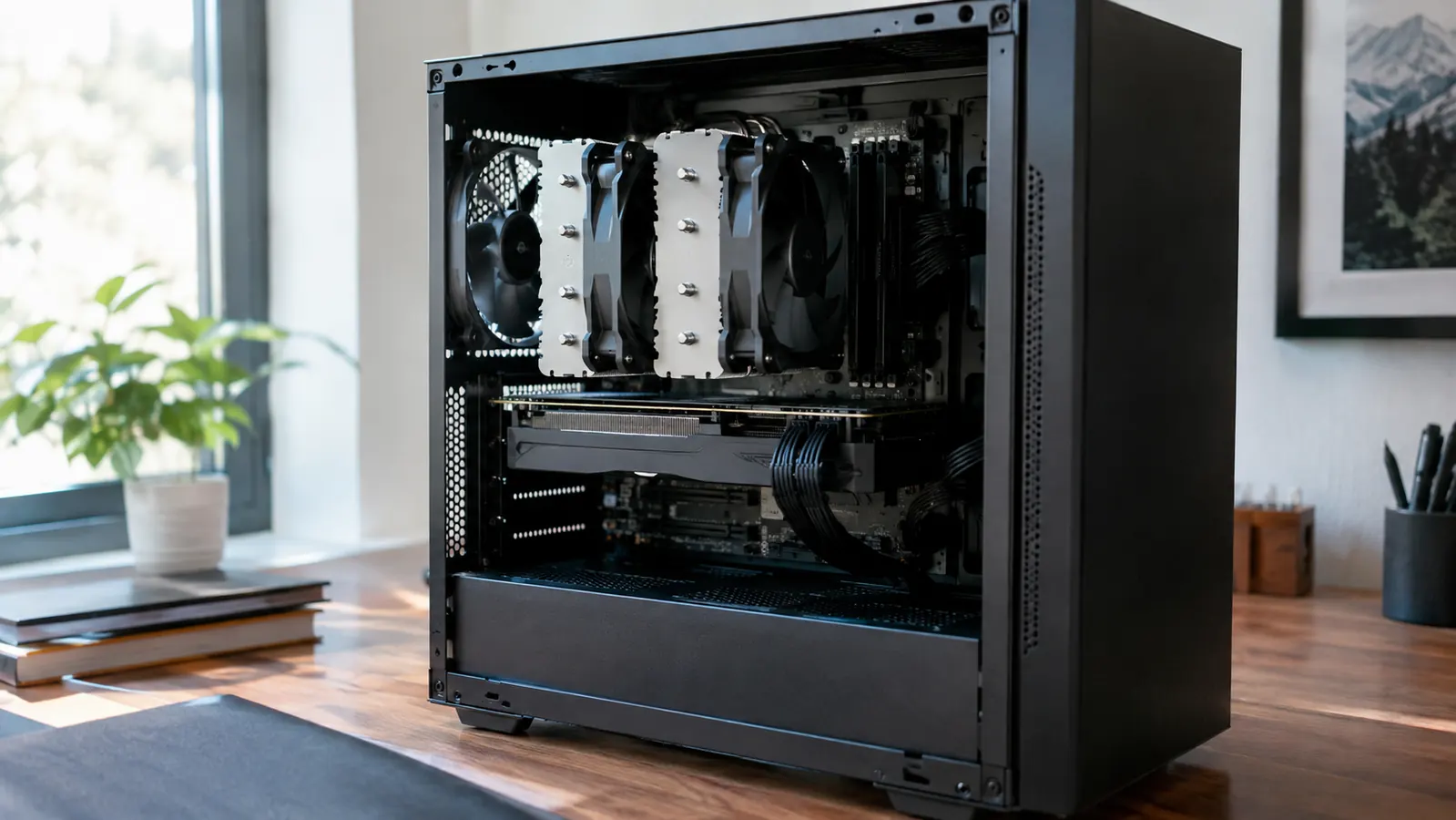
My main gaming PC used to sound like a small hair dryer. The stock cooler that came with my processor kept temperatures acceptable, but it spun up hard during evening sessions, and by the time my son Owen and I were into a second match, the fan noise was the loudest thing in the room. I had been meaning to replace it for months. When I finally did, I picked the Thermalright Peerless Assassin 120 SE, mostly because the price was reasonable and the reviews were good. This is what months of real use look like.
I am Mark, and I have been building and upgrading gaming PCs as a hobby for about twenty years. I work in IT support, so I spend my days fixing other people's machines and my evenings gaming on my own. My rig is a mid-tower I built myself, and I upgrade it one part at a time. The Peerless Assassin 120 SE replaced the stock cooler on my processor, and it has been in daily use ever since.
The Quick Verdict
The Thermalright Peerless Assassin 120 SE delivers big-air-cooler performance at a price that is hard to argue with. It runs my CPU cooler than the stock cooler ever did, it is quiet in normal gaming, and the only real trade-offs are a fiddly install and the sheer size of the thing.
Amazon Check Today's Price →Want your CPU to run cooler without spending a fortune?
The Thermalright Peerless Assassin 120 SE has been my daily cooler for months. Check today's price on Amazon and see if it fits your build.
Amazon Check Today's Price on Amazon →How I've Used It
I installed the Thermalright Peerless Assassin 120 SE on my main gaming PC back in mid-October, on a Saturday morning. Before I ordered it, I spent two evenings with a tape measure and a flashlight, checking how much room my case had between the CPU socket and the side panel, and how much space sat between the memory slots and the front fan position. I had made the mistake of buying a cooler that did not fit once before, years ago, and I did not want a repeat. My setup is a mid-tower case on a corner desk in a spare bedroom that doubles as my home office. That matters more than you might think. The room is small, the desk is close to my chair, and the PC sits about two feet from my right ear. Noise is not a minor concern for me. It is the whole reason I started looking at coolers in the first place.
Since the install, the PC has been through evening gaming sessions, weekend sessions with Owen, video calls for work, and the occasional all-day render when I am helping a friend with a video project. The very first real test came the next day, when Owen and I played through a long session of a CPU-heavy strategy game, the kind that used to make the old fan spin up within minutes. I have also run it through several stress tests to see where the limits are. I did not use a lab setup or a thermal camera. I used the temperature readings from my motherboard software, the fan speed readouts, and my own ears. That is how most people will judge a cooler, so that is how I judged this one.
One thing I should say up front: the Thermalright Peerless Assassin 120 SE is a dual-tower cooler with two 120mm fans, and it is big. It cleared my case and my memory modules, but just barely. If you have a narrow case or tall RAM with big heat spreaders, you need to check clearances before you buy. I will come back to that in the trade-offs section.
Temperatures: What Actually Changed
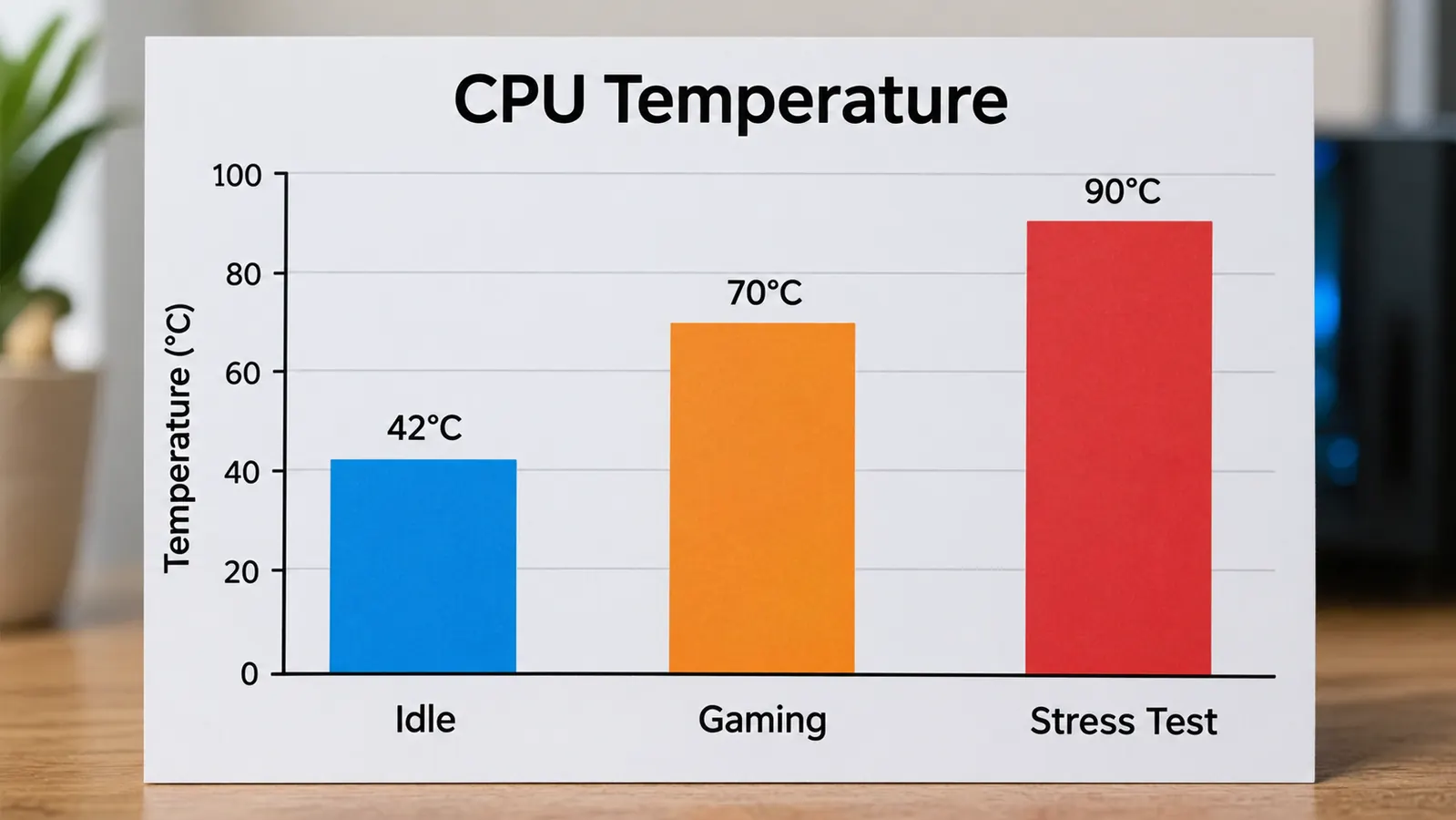
The stock cooler kept my processor from throttling, but it did so by spinning up aggressively. Under a gaming load, I would regularly see temperatures in the mid-70s Celsius, and the fan would be loud enough that I noticed it over game audio. On one Thursday night in late October, I ran the same 20-minute stretch of a shooter twice, once before the swap and once after, with the room at about 21 degrees both times. The stock cooler held the CPU at 76 degrees with the fan pinned near its maximum. After the swap to the Thermalright Peerless Assassin 120 SE, the same stretch ran at 63 degrees, and the fans were barely above their idle speed. That is a real, repeatable difference, not a one-time reading.
Idle temperatures dropped too. The PC sits at around 30 to 33 degrees Celsius when I am just browsing or working in spreadsheets, even on mornings when the office is already warm from the sun coming through the window. Under a full stress test, the CPU climbs into the high 70s, which is well within its limits, and the cooler holds it there without the fans going into a panic. The thermal paste that comes pre-applied on the cold plate did its job. I did not need to add any of my own, and I did not bother to replace it with a premium paste, because the stock application was clearly working.
The practical result is that I stopped thinking about temperatures entirely. That is the highest compliment I can give a cooler. I used to glance at the temperature readout during long sessions, waiting for the fan to ramp up. Now I only look when I am testing something specific. The Thermalright Peerless Assassin 120 SE took a background worry and made it a non-issue.
Noise: The Reason I Swapped in the First Place
The stock cooler's fan was the loudest component in my PC, and it was the reason I started this whole project. The Thermalright Peerless Assassin 120 SE's two fans are not silent, but they are quiet in the way that matters. During normal gaming, the fans sit at a moderate speed and produce a low whoosh that blends into the room. I can see the exact numbers in my motherboard software: around 700 RPM at idle, and roughly 1,100 to 1,200 RPM under a gaming load, well below the 1,550 RPM maximum the fans are rated for. I can hear them if I listen for them, but they do not cut through game audio the way the old cooler did.
Under a stress test, the fans do spin up, and you will hear them. That is expected. The difference is that the sound is a smooth rush of air rather than the whiny, high-pitched spin-up of a small fan working hard. For me, that distinction is the whole ballgame. My desk is close to the PC, and I no longer reach for my headset just to mute the machine. The first Sunday after the install, Owen walked into the room while I was mid-session and asked whether I had turned the PC off to take a break. It had been running for two hours. That moment alone told me the swap had worked.
I also appreciate that the two fans are the same size and type. If one ever fails, I can replace it with a standard 120mm fan without hunting for a special part. That is the kind of practical detail that matters years down the road.
The highest compliment I can give a cooler: I stopped thinking about temperatures entirely. The Thermalright Peerless Assassin 120 SE took a background worry and made it a non-issue.
Installation: Doable, but Read the Manual Twice
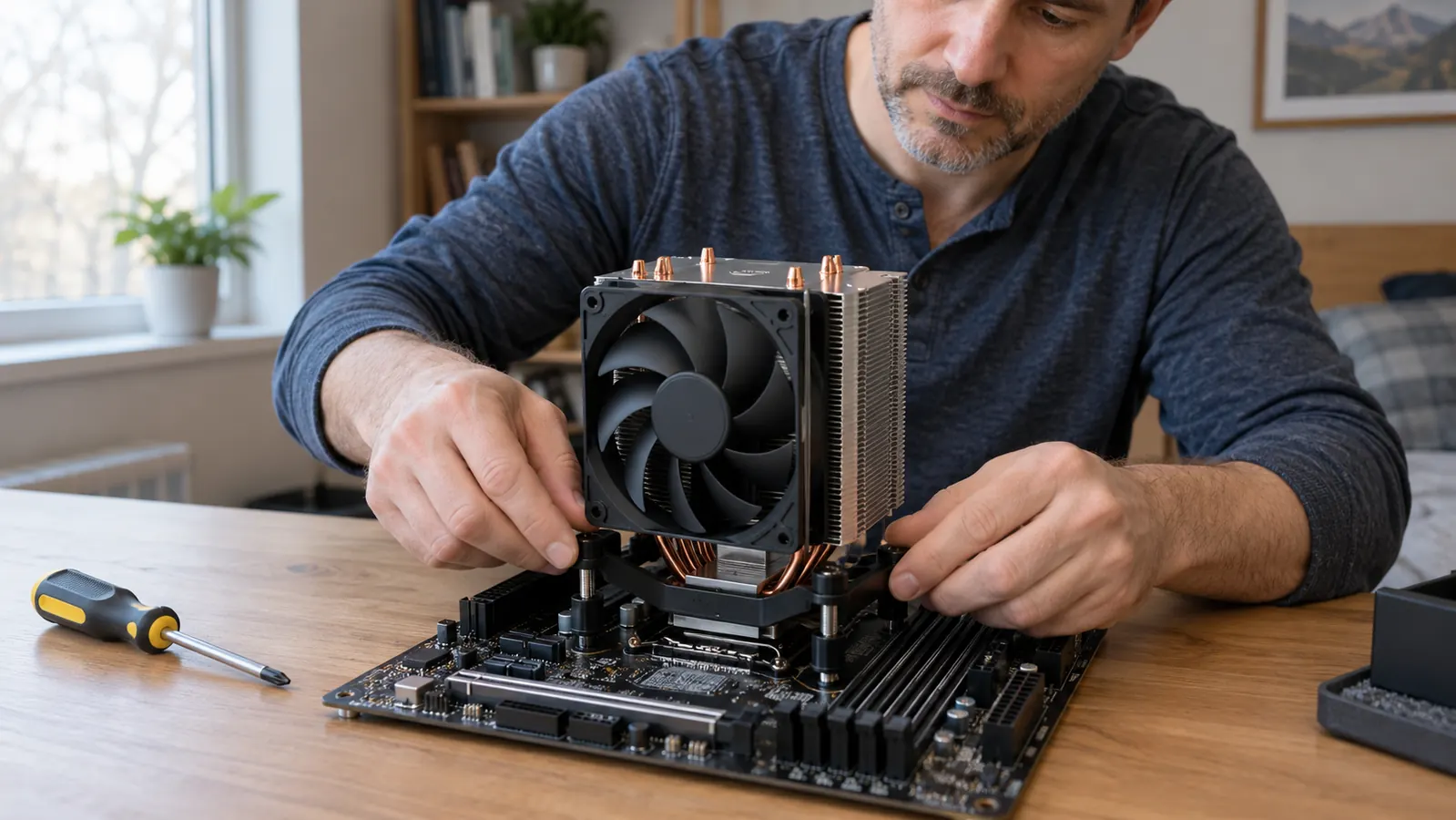
Installing the Thermalright Peerless Assassin 120 SE is not the easiest cooler install I have done, but it is far from the hardest. The mounting hardware covers both AMD and Intel sockets, and the instructions are printed in a small booklet with small diagrams. I have built enough PCs that I did not need to watch a video, but I did need to slow down and follow the steps in order. My first attempt, I tried to be clever and install it with the motherboard still in the case. I got the backplate in place, but when I reached for the mounting screws, the bracket shifted and dropped behind the board. I spent ten minutes fishing it out with a pair of tweezers and a lot of muttered words. Then I stopped being clever, pulled the motherboard, and did the install on the desk. The second attempt took about twenty minutes.
The fiddly part is the mounting bracket. You hold the backplate behind the motherboard while you position the bracket on the front, and there is a moment where you need three hands. I managed by setting the motherboard on a flat surface and using a small block to hold the backplate in place. If you are installing this into an already-built PC, you will likely need to remove the motherboard or at least have very good access to the back of the case.
The other thing to know is that the fans attach to the towers with wire clips. That sounds simple, and it is, but you will probably need to remove the front fan to reach the mounting screws, then clip it back on. The first clip took me five minutes of fiddling. The second took about thirty seconds, because by then I understood the angle. Plan for the install to take about an hour if you are careful, longer if it is your first time. It is a one-time cost, and the cooling performance you get in return is worth it.
Trade-Offs and Things to Check Before You Buy
The Thermalright Peerless Assassin 120 SE is a large cooler, and size is the main trade-off. It is a dual-tower design with two 120mm fans, so it extends well above the memory slots. In my case, it cleared my RAM with room to spare, but I have seen builds where the front fan sits right on top of tall memory heat spreaders. Measure your case's cooler clearance and check your RAM height before you order.
The second trade-off is the install process. It is not a five-minute swap. You need to access the back of the motherboard, which means taking the motherboard out of most cases. If you are comfortable with that, the cooler is a great value. If you have never installed a CPU cooler before, set aside an afternoon and watch a build guide first.
The third thing is more of a note than a con. The cooler is heavy, and it hangs off the motherboard with a backplate. That is normal for a cooler this size, and the backplate spreads the weight well, but you should not transport your PC with the cooler installed unless you have it secured. I move my PC rarely, and when I do, I lay it flat.
What I Liked
- Excellent cooling for the price, with big temperature drops over a stock cooler
- Quiet in normal gaming, with a smooth air rush instead of a whiny fan
- Two standard 120mm fans are easy to replace if one ever fails
- Pre-applied thermal paste means one less thing to buy
- Works on both AMD and Intel sockets, so it can move to a future build
Where It Falls Short
- Large dual-tower design may not fit narrow cases or tall RAM
- Install requires access to the back of the motherboard
- Fans are audible under heavy stress loads
- Wire fan clips are fiddly the first time
Who This Is For
The Thermalright Peerless Assassin 120 SE is for anyone who wants strong air cooling without paying a premium. If you are building a gaming PC on a budget, or upgrading an existing build where the stock cooler is too loud, this is the kind of part that makes a noticeable difference for a reasonable price. It is also a good choice if you prefer air coolers over liquid coolers because there is no pump to fail and no liquid to leak.
It is especially good for people who game in the same room where they work, like I do. The quiet operation matters more when the PC sits two feet from your ear. If you have a mid-tower or full-tower case with standard clearances, and your RAM is not extremely tall, the Thermalright Peerless Assassin 120 SE is an easy recommendation.
Who Should Skip It
Skip the Thermalright Peerless Assassin 120 SE if you have a small form factor case or very tall memory modules. The dual-tower design needs room, and forcing it into a tight build is not worth the hassle. If you are building in a compact case, a single-tower cooler or a low-profile cooler will be easier to install and may fit better.
You should also skip it if you are not comfortable removing your motherboard to install a cooler. The mounting system requires access to the back of the board, and in most cases that means a full teardown. If that sounds like too much, a cooler with a tool-free mounting system might be a better fit, even if it costs a bit more.
Still deciding? See what the Thermalright Peerless Assassin 120 SE costs today.
After months of daily use, I would buy it again. Check the current price on Amazon and see if it fits your build.
Amazon Check Today's Price on Amazon →