
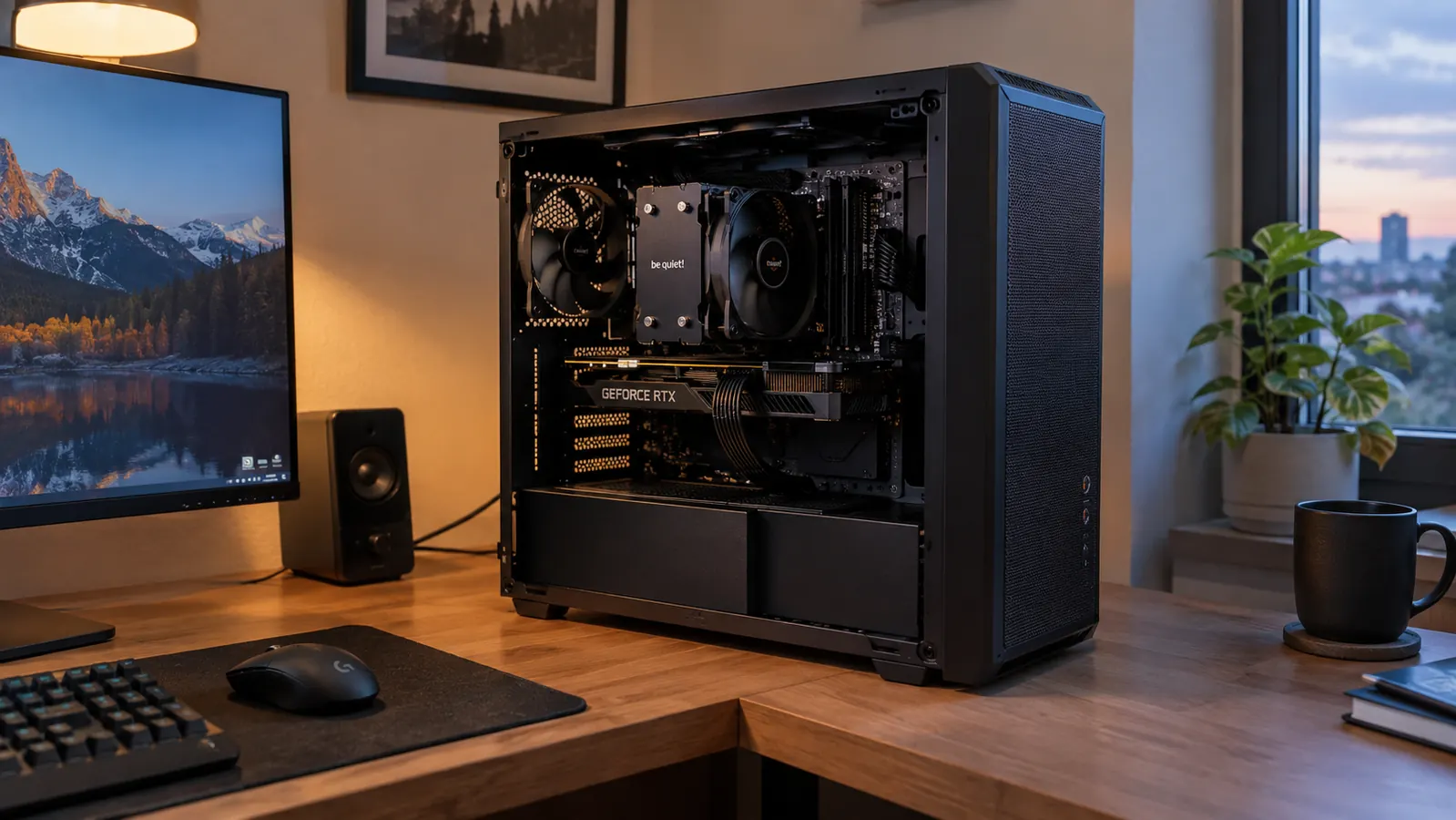
Every budget cooler review ends the same way: great value, buy it, you are done. Nobody tells you that the mounting bracket will test your patience, that the twin towers sit right over your RAM slots, or that for a mid-range chip this thing is honestly more cooler than you need. I have run the Thermalright Peerless Assassin 120 SE in my main rig for about eight months. It is excellent. It is also, in ways the five-star reviews skip over, a specific tool for a specific kind of build.
A little setup before I get into the details. My desk is a corner desk in a spare bedroom that doubles as my home office, so noise and heat are not abstract concerns to me. My main rig is a mid-tower I built myself and upgraded one part at a time over the years. My son Owen, fifteen, plays on the same PC most weekends, and he does not tolerate a machine that sounds like a desk fan on high. I swapped the Peerless Assassin in to replace a worn single-tower cooler, and I installed it on a processor with a reputation for running hot, partly to see whether an affordable air cooler could actually keep it in check.
The Quick Verdict
The best balance of cooling, noise, and price in air cooling right now, provided your case has the height for it and your chip actually runs hot enough to need it.
Amazon Check Today's Price →The Peerless Assassin 120 SE is the cooler I recommend most often
If it fits your case and your processor draws real power under load, this is about as close to a no-brainer as PC cooling gets. Check today's price and current stock before you decide.
Amazon Check Today's Price on Amazon →How I Used It
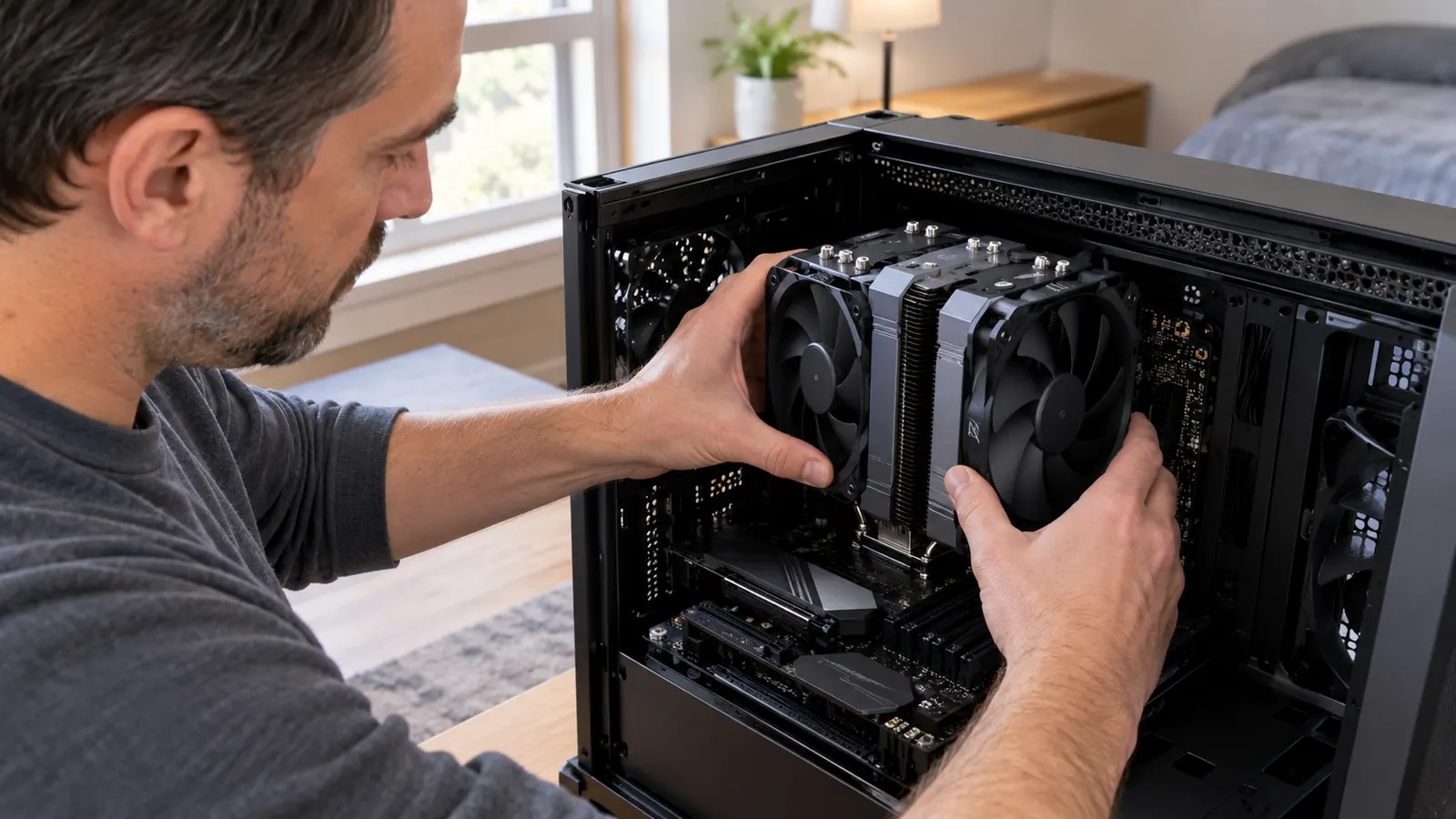
Let me start with the part the product photos never show you: getting this cooler mounted. The Peerless Assassin uses a bracket that bolts to the backplate of the motherboard, and you do most of the work from the back of the case. On my board it took two attempts to get the backplate seated properly, and the tension screws that hold the towers in place need a long Phillips driver with a thin shaft, because the gap between the two fin stacks is narrow. None of this is hard, exactly. It is fiddly, and if you have large hands, budget twenty extra minutes the first time.
The cooler ships with a full-size tube of Thermalright's own thermal paste, which is a small thing that matters more than you would think. No scraping together a tiny dot from a packet that is already half-empty. The fan clips take a couple of tries the first time, but once they are on, the fans are rock solid and quiet. I mounted the front fan in the standard position, which left a few millimeters of clearance above my RAM. That clearance is the detail to check before you buy, because it is the single biggest cause of unhappy owners I see in build forums, and it is entirely avoidable if you measure first.
For the first few weeks I did not have a consistent way to measure anything. I just played. Then I started logging the peaks during an hour of gaming on weekend evenings, in a room where the air conditioning is weak and the office drifts into the high 20s Celsius in a Virginia summer. My mid-tower has two intake fans and one exhaust. With the old cooler the chip idled around 11 degrees over ambient with the Peerless Assassin it idles the same, which is expected. The difference shows up under load. After an hour of gaming the chip stayed in the mid-70s, where the old cooler had regularly touched the mid-80s and sounded like a small vacuum cleaner doing it. Same chip, same case, same game. Only the cooler changed.
The unexpected part of the swap was that it changed more than temperatures. A processor that stays cooler sustains its boost clock longer, and in the CPU-heavy parts of the games my son and I play, that showed up as frame times that actually felt steadier. I was expecting a quieter, cooler machine. I got a slightly faster one too, which is the kind of bonus that makes a parts upgrade feel worth every minute spent with the manual.
What Makes the Peerless Assassin Different
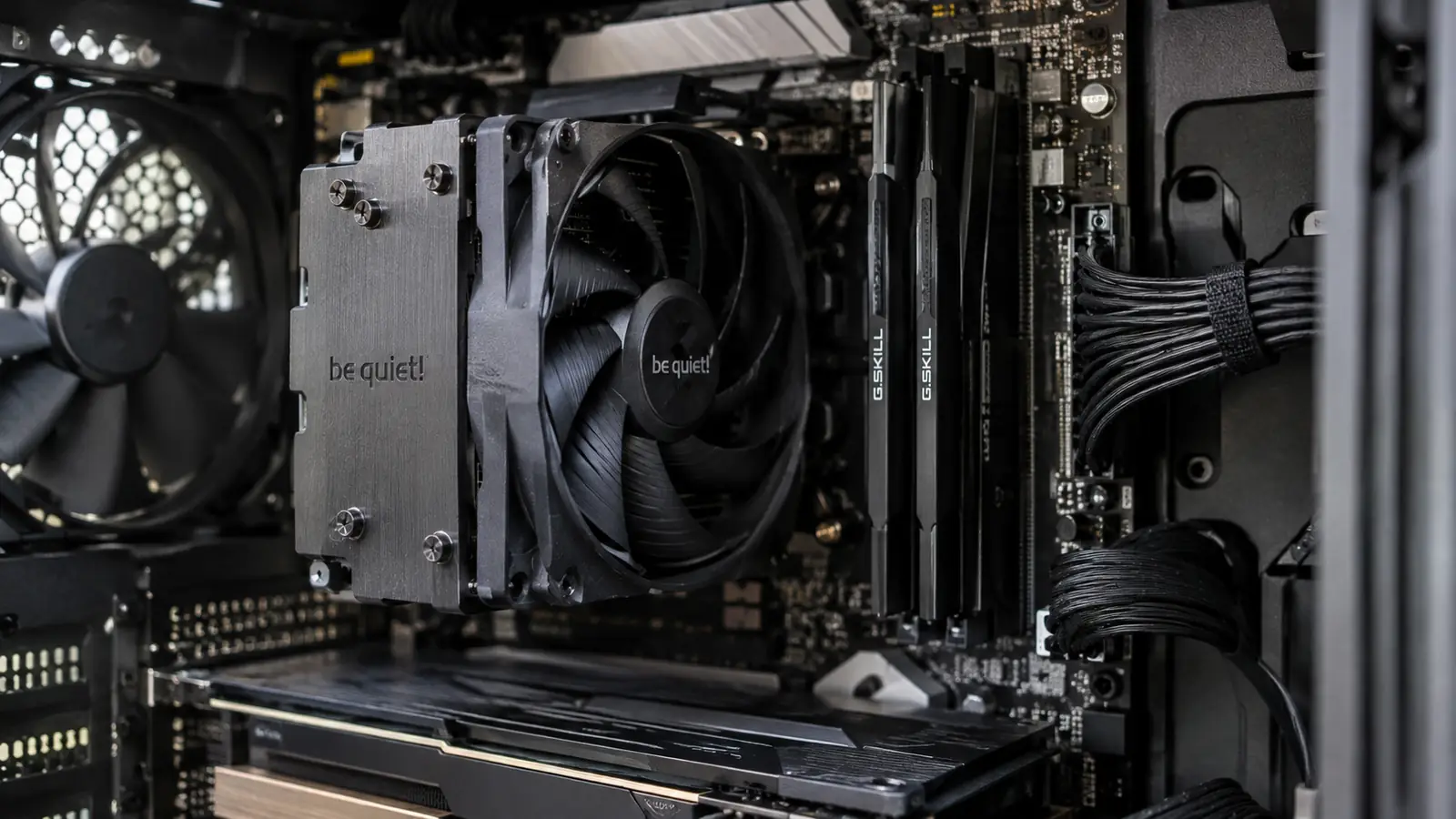
The design is simple in a way that is easy to underestimate. Six heat pipes lift heat off the processor into two parallel fin stacks, and two 120 mm fans push air through both of them. The heat pipes sit directly against the CPU lid, a direct-contact layout that used to be reserved for more expensive coolers. The twin-tower arrangement is the reason this thing performs like towers that cost several times as much. It is also the reason installation is the fiddly process I described above. The engineering that makes it good is the same engineering that makes it tall. Thermalright's whole product line runs on this formula, and the Peerless Assassin is the cleanest expression of it.
The fans are the part I want to call out honestly. They are 120 mm PWM fans that spin up to 1550 RPM, and at low speed they are genuinely hard to hear. The coil whine from my graphics card is the loudest thing in my office, which says a lot about the CPU cooler and nothing good about the graphics card. At full tilt the fans are audible, a clean whoosh rather than a whine or a bearing rattle. A lot of budget coolers get loud because the fans are cheap. The Peerless Assassin's fans are not the reason to buy it, but they are not a reason to look elsewhere either.
The honest way to frame the value is this. The Peerless Assassin does not do anything dramatically new. It does the same job as coolers that cost two or three times as much, at a fraction of the money, and that is the whole point. It wins on performance per dollar, not on raw performance alone. A few larger air coolers and most 360 mm liquid coolers will beat it on temperature. They cost a lot more, they add extra points of failure, and for most real builds the difference is a handful of degrees you will never notice while you are playing.
What Nobody Tells You About It
Here is the part I wish every review I read had led with. The twin towers overhang the RAM slots, and the front fan sits low by default. Tall memory with tall heat spreaders will not fit without moving the fan up, and moving the fan up makes the whole cooler taller. Check your RAM height and your case width before you order, not after. My own RAM is low-profile, so I never had to deal with this, but I read the complaints every week and I understand exactly why people are annoyed. It is not a flaw in the cooler. It is a fit requirement that the marketing materials do not make obvious.
The second thing nobody tells you is that for a lot of chips, this cooler is overkill. If your processor is a mid-range part that draws around 65 watts under load, a single-tower cooler half the size and a fraction of the price will hold it at the same temperature, because the chip simply does not produce enough heat for the second tower to matter. I installed mine on a chip that genuinely runs hot, so I use the headroom. Be honest with yourself about whether your chip does too. Thermalright makes a complete range of cheaper single-tower coolers, and for a cool-running chip that is the honest buy.
Third, the quiet claims get oversold online. At idle and at normal gaming loads, yes, it is quiet. Under a sustained all-core stress test, the fans ramp up and you will hear them. It is not an unpleasant sound, and it is nowhere near as loud as the cheap single-tower cooler it replaced, but anyone who tells you it is silent at full load is describing a cooler that does not exist. I run stress tests rarely, so full-load noise barely matters to me. If you run heavy all-core workloads every day and silence is the priority, a larger cooler with slower-spinning fans is a better fit.
The last honest note is the manual. It is a single sheet with small diagrams, and it assumes a level of comfort with motherboard hardware. If this is your first time mounting an aftermarket cooler, watch a build video first and lay the parts out in front of you. The cooler itself is a no-frills product. There is no lighting, the fans are plain and unlit, and the box contains only the cooler, the two fans, the mounting hardware, a tube of paste, and that thin sheet of paper. I do not mean that as a criticism. I have a drawer full of lighting effects that stopped working after a year, and I would rather my cooler be boring and reliable.
Eight Months Later: Performance Over Time
The long-term experience is the reason I am recommending this thing instead of just reviewing it and moving on. After eight months, the fans still spin smoothly with no bearing noise, the clips have not loosened, and the temperatures I read today are the same as the temperatures I read the week I installed it. I have not had to remount it, reapply paste, or touch a single screw since the day it went in. For a component that lives inside a case where you cannot see it, that is exactly what you want, and it is not something I can say about every cooler I have owned in twenty years of building machines.
One genuine maintenance note. The twin towers collect dust about twice as fast as the single tower they replaced, because there are two of them and two fans pulling air through. I blow mine out with canned air every couple of months, which takes two minutes with the side panel off. The fin stacks are easy to reach, and the fans pop off their clips without tools. It is a minor task, and I mention it only because nobody else will. Thermalright builds this cooler to be maintenance-friendly in every other way, and that small quirk is the only thing I would flag.
Alternatives I Considered (and Why I Kept This One)
I tested this against the obvious rivals in my head and, where I could, on my own machine. The big air coolers from Noctua and be quiet! are quieter and a few degrees cooler, and they come with mounting systems that make installation genuinely painless. They also cost several times as much, and for my chip and my wallet, the extra money buys single-digit temperature improvements I would never feel while playing. If I were building a silent work machine that sits under a monitor all day, I might pay for one of those. For a gaming rig that gets used mostly on evenings and weekends, I could not justify it.
Liquid cooling crossed my mind, the way it crosses every builder's mind at least once. A 240 mm all-in-one would fit my case and would probably run a few degrees cooler under sustained load. It would also cost more, add a pump that can fail, add tubing that has to route around the case, and add one more thing to maintain. For the way I use this machine, the simplicity of a big air cooler wins. If the Peerless Assassin ever lets me down, I will say so plainly. Eight months in, it has not given me a reason to worry about it.
What I Liked
- Twin-tower cooling that matches coolers two to three times the price
- Quiet at idle and in normal gaming, with well-behaved PWM fans
- Ships with a full-size tube of good thermal paste
- Covers AM4, AM5, and current Intel sockets, so it can survive your next upgrade
- Plain, reliable, zero lighting to fail in a year
Where It Falls Short
- Installation is fiddly, especially on the first mount
- Twin towers overhang the RAM slots, so tall memory needs the front fan raised
- Genuine overkill for low-power chips that never get hot
- Full-load fan noise is audible despite the quiet reputation
- The one-page manual assumes you have mounted a cooler before
After an hour of gaming the chip stayed in the mid-70s, where my old cooler had regularly touched the mid-80s and sounded like a small vacuum cleaner doing it.
Who This Is For
This cooler is for the person building or upgrading a sensible, real-world gaming PC who wants to put the money into the graphics card instead of the cooling. Buy it if your processor draws serious power under load, if you game for hours at a time, if the room your PC lives in gets warm, and if you would rather own one boring, reliable part that quietly does its job for years than something flashy that asks for attention. It is also a great choice if your last cooler was noisy and you want to hear the game instead of the machine. My son notices the difference more than I do, and he is fifteen and has never read a spec sheet in his life.
Who Should Skip It
Skip it if you are building a compact system with tight vertical clearance, if your RAM has large heat spreaders that will fight the front fan, or if your processor is a low-power part that a smaller, cheaper cooler handles easily. Skip it if daily all-core workloads make full-load noise a real concern, or if working with backplates and tension screws genuinely does not sound like a good evening to you. In all of those cases, a different cooler is the better buy, and this review is not going to pretend otherwise. The Peerless Assassin 120 SE is excellent. It is not universal, and pretending it is would be the quickest way to sell you something wrong.
If your build matches what I described, this is the quiet workhorse to buy
Eight months in, mine has not needed a single adjustment. Check today's price and current stock on Amazon, and measure your RAM clearance before you order.
Amazon Check Today's Price on Amazon →