
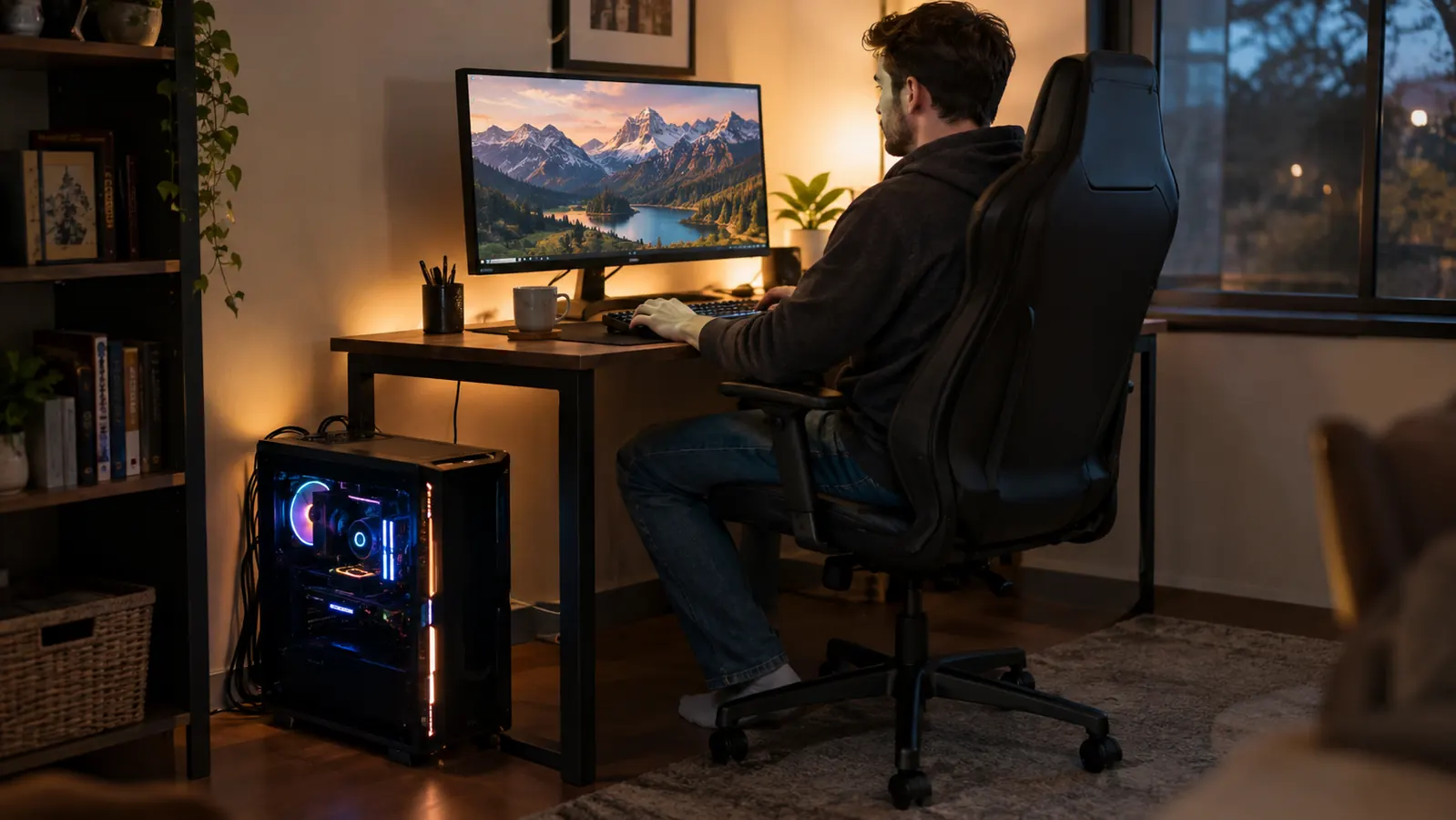
I have been building and upgrading gaming PCs for about twenty years, and the question I hear most from friends is always the same one: what power supply do I need? It is the least glamorous part of any build, which is exactly why it deserves more attention than the RGB fans. When I finally upgraded the GPU in my main rig this year, the Corsair RM750e is the unit I chose after a lot of reading, and it has powered my machine almost every evening since.
This is not a lab test with oscilloscopes and load meters. I am an IT support technician who builds PCs for fun, and my testing bench is the same mid-tower that sits on the floor beside my corner desk in a spare bedroom that doubles as my home office. That location matters, because my standards are practical ones: does it stay quiet while I game, does it keep my components fed, and did it make the upgrade easier or harder than my old power supply did?
The Quick Verdict
A quiet, fully modular 750W unit that handles a modern GPU without drama. The native 12V-2x6 cable and ATX 3.1 support make it a set-and-forget choice for most single-GPU builds, and months of daily use have not changed my mind.
Amazon Check Today's Price →A quiet 750W unit that handles a modern GPU without drama
After months of daily use in my home office rig, the Corsair RM750e has been the most forgettable part of my build, which is the highest compliment a power supply can earn. It stays quiet, runs cool, and made the upgrade easier. Check today's price on Amazon and see if it fits your next build.
Amazon Check Today's Price on Amazon →How I've Used It
I installed the Corsair RM750e back in March, and since then it has powered evening gaming sessions, weekend co-op games with my fifteen-year-old son Owen, and a few all-day stretches when a new game came out. The PC lives on the floor about three feet from my chair, so I hear everything it does. That is a stricter noise test than most people run.
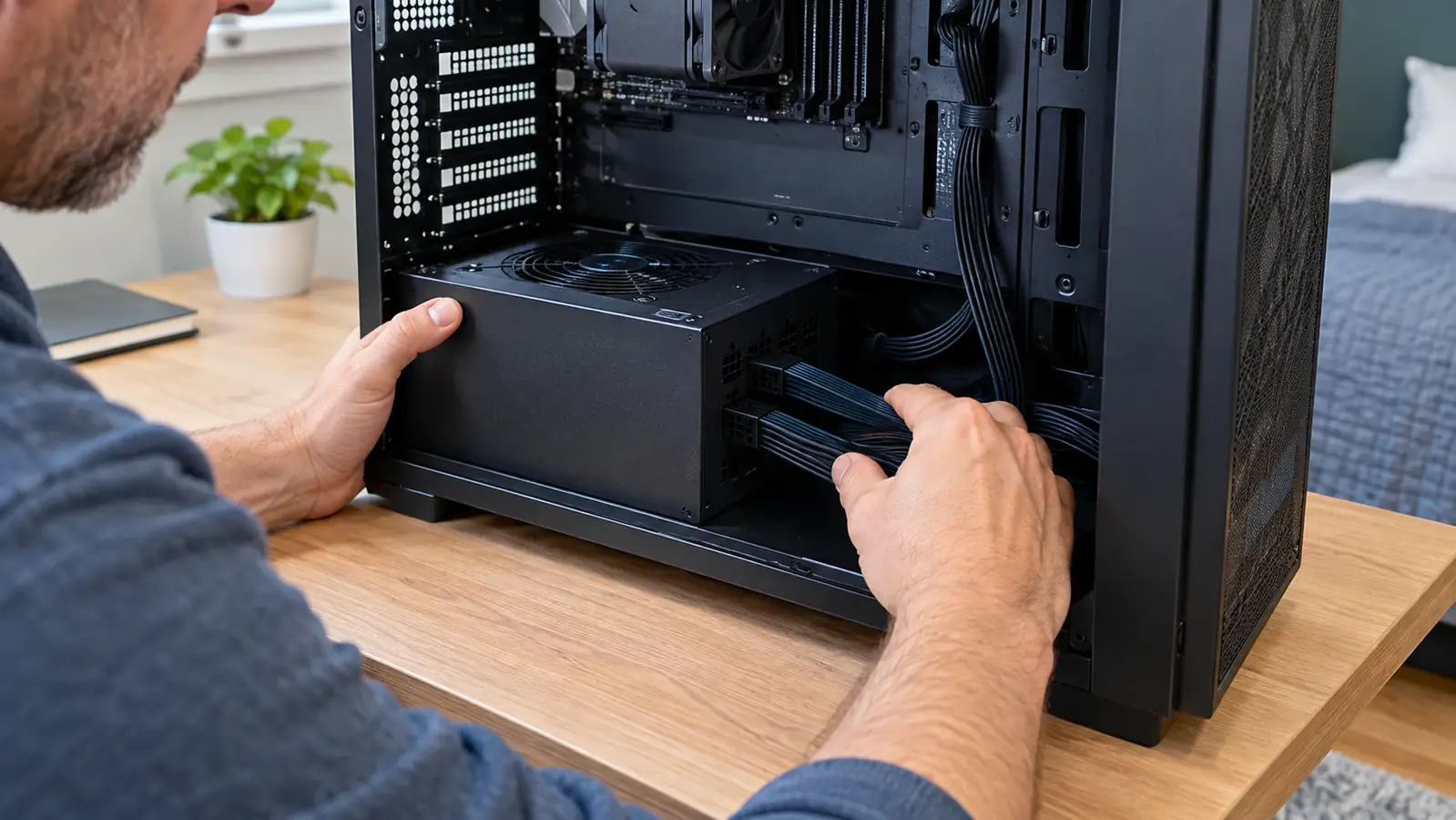
The system it feeds is a single-GPU mid-tower build, and the 750W rating leaves comfortable headroom without being oversized. I used the included 12V-2x6 cable for the graphics card instead of the older adapter mess, and the fully modular design meant I only plugged in the cables I actually needed. The inside of the case looks better than it has in years, and I say that as someone who usually ignores cable management.
I have also opened the case several times since, moving drives and adding a fan, and every time the modular cables made the job easier. That is the kind of benefit you notice at install time and then quietly appreciate forever.
One specific thing I checked for: coil whine. My old power supply had a faint whine under load that I only noticed at night, and once I noticed it I could not unhear it. The Corsair RM750e has been silent in that regard. I have not heard a peep from it, even during menu screens where frame rates spike and power draw fluctuates.
Why 750W Is the Right Size for Most Rigs
The most common mistake I see in PC building forums is buying twice the power supply you need because bigger feels safer. A power supply runs most efficiently somewhere in the middle of its range, and a 750W unit gives a typical single-GPU gaming build plenty of headroom without running at the edge of its limits. My rig idles well below half of the rating and only gets pushed hard in the most demanding titles.
The other side of that is upgrades. I improve my PC one part at a time rather than replacing the whole thing, and the RM750e has the connectors and the wattage to survive a GPU upgrade down the road. ATX 3.1 and PCIe 5.1 compliance mean it is built for the current generation of graphics cards, including the 12V-2x6 connector that the newest cards use. I did not have to dig through a drawer of adapters.
Cybenetics Gold efficiency is the other reason this size works. It is not the absolute highest rating you can buy, but the real-world difference between Gold and Platinum is a few percent at most, which most people will never notice on their electric bill. What you do notice is that the unit does not dump extra heat into a small room.
One thing I want to be clear about: 750W is not a magic number for everyone. A build with a very power-hungry CPU and a top-tier GPU can spike past it, which is why I always tell people to add up their components rather than guess. For the vast majority of mid-range and upper-mid-range gaming PCs, though, 750W is the practical sweet spot, and the RM750e has handled everything I have thrown at it without breaking a sweat.
Noise and Heat: The Corner Desk Test
My rig sits on the floor to the left of my corner desk, which means I sit about three feet from every fan in the system all evening. The Corsair RM750e uses a low-noise fan that only spins when it needs to, and in months of daily use I can count on one hand the times I actually heard it ramp up. During lighter sessions, the PC is essentially silent, and even under load the GPU fans drown out the power supply.
Heat is the tradeoff nobody mentions about a small home office. An inefficient power supply turns wasted electricity into heat, and in a spare bedroom with the door shut, that heat has nowhere to go. The Gold rating keeps that waste low, and the 105 degree Celsius rated capacitors are built for warm operating environments. After long sessions the unit is warm to the touch, not hot, and my office does not feel any stuffier for it.
I am not going to pretend I measured anything with a thermal camera. What I can tell you is that the unit has never once tripped, shut down, or even stuttered, including during the hottest days of a Virginia summer with the office door closed.
After months of evening gaming with the PC three feet from my desk, I can count on one hand the times I actually heard the power supply.
Cables, Modularity, and the 12V-2x6 Connector
Fully modular means every cable detaches from the power supply, so you plug in only what the build needs. In my case that was the 24-pin motherboard cable, the CPU cable, the 12V-2x6 GPU cable, and a couple of SATA cables for drives. The inside of my case looks dramatically cleaner than it did with my old non-modular unit, and cable management took maybe half the time.
The included 12V-2x6 cable deserves its own paragraph. Newer graphics cards are moving to this connector, and having a native cable in the box means no clunky adapter that adds length and clutter. It clicked into my GPU securely and has stayed put for months. I have read the arguments about this connector, and I understand the concern, but I have had zero issues, and the connection still feels solid every time I open the case.
The cables themselves are better than I expected at this price. They are flat enough to route cleanly, the connectors seat firmly, and nothing has worked loose. For someone who opens the side panel more often than most, that counts for a lot.
The 24-pin and CPU cables are long enough for a mid-tower even with the power supply mounted at the bottom, which is where most cases put it. I have built in cases where the CPU cable barely reached and I had to route it across the motherboard. That was not a problem here.
Alternatives I Considered
I almost bought a cheaper 750W unit from another brand, and I am glad I did not. The difference shows up in the details: the quality of the cables, the noise profile, and the fact that Corsair actually publishes its Cybenetics certification instead of just claiming efficiency. The RM750e sits in a sweet spot where you are not paying flagship prices, but you are also not gambling with the one component that can take the rest of your PC with it if it fails.
The closest alternative I seriously considered was the MSI MAG A750GL, which is also a solid 750W Gold unit. If you are choosing between the two, the full head to head comparison on this site is worth a read. The short version is that both will do the job for most builders, and I chose the Corsair for the fully modular design, the native 12V-2x6 cable, and a warranty I trust.
I also thought about stepping up to an 850W unit for extra headroom. I could not justify it for a single-GPU build that rarely approaches 600W under load, and the money was better spent elsewhere. If I ever move to a flagship GPU, I will revisit that decision, but for now 750W is the honest answer.
One more note on buying: I have seen the current price of the RM750e move around, which is normal for power supplies. It is never worth paying a big premium for any power supply just because stock is tight, and it is always worth checking today's price before you order. At its usual street price, this unit is fairly priced for what you get.
What the Spec Sheet Doesn't Tell You
Spec sheets tell you wattage, efficiency, and connectors, but they do not tell you how a part behaves in real life. The RM750e's modern standby mode is a good example: the PC wakes from sleep instantly and consistently, which sounds trivial until you have lived with a power supply that makes a machine stubborn to wake.
The 105 degree Celsius rated capacitors matter more than most buyers realize. Capacitors are the first thing to age in a power supply, and a higher temperature rating means they are less likely to wear out early, especially in a warm room. This is the kind of detail that does not show up in a benchmark but shows up years later when the unit is still running quietly.
The unit also came well packed with a sensible manual and labeled cables. That sounds like a small thing, but for a first-time builder it makes a genuinely stressful part of the process easier. I have installed power supplies that arrived with cables in a tangled bag and a manual that read like a legal document. This one was not like that.
What I Liked
- Fully modular design keeps builds tidy and upgrades easy
- Low-noise fan stays quiet even in a small office
- Native 12V-2x6 cable for modern GPUs, no adapter needed
- Cybenetics Gold efficiency keeps heat and wasted power low
- 105 degree Celsius rated capacitors for long-term reliability
Where It Falls Short
- Not the cheapest 750W option if you only care about the sticker price
- Fan is quiet but not literally silent under a heavy load
- Overkill for low-power office builds that could use a smaller, cheaper unit
Who This Is For
The Corsair RM750e is for the builder who wants to install a power supply once and forget about it. If you have a single-GPU gaming build, if you might upgrade your graphics card in the next few years, and if you care about a quiet PC in the room you actually sit in, this unit does the job without fuss. It is also a great choice for a first build, because the modular cables and clear labeling make the scariest part of a build feel manageable.
It is also worth saying that the RM750e is quiet enough for a living room PC if you are one of the people who moved their gaming rig out of a home office. The low-noise fan profile and the clean modular cables make it a good fit for an open shelf where you can actually see the build.
Who Should Skip It
If your PC is a low-power office machine with integrated graphics, a 750W Gold unit is more than you need, and you could spend less. If you are building a flagship system with a top-tier GPU and heavy overclocking, you will want the extra headroom of an 850W or 1000W unit. And if you genuinely never plan to upgrade anything, the cheapest reliable 650W unit will run your current build fine. Buying more than you need is not a sin, but it is not a smart use of a budget either.
I would also steer clear if you are the kind of builder who changes components constantly and wants the absolute maximum flexibility. A larger unit, or one with more PCIe connectors, might serve you better. The RM750e is an excellent part, but it is not trying to be everything to everyone, and I respect it for that.
Still powering my rig after months of daily use
If you are tired of adapter mess, fan noise, or a power supply that feels one upgrade away from trouble, the Corsair RM750e is worth a look. It has been quiet, stable, and easy to live with in my own build. See today's price on Amazon before you buy anything else.
Amazon Check Today's Price on Amazon →