
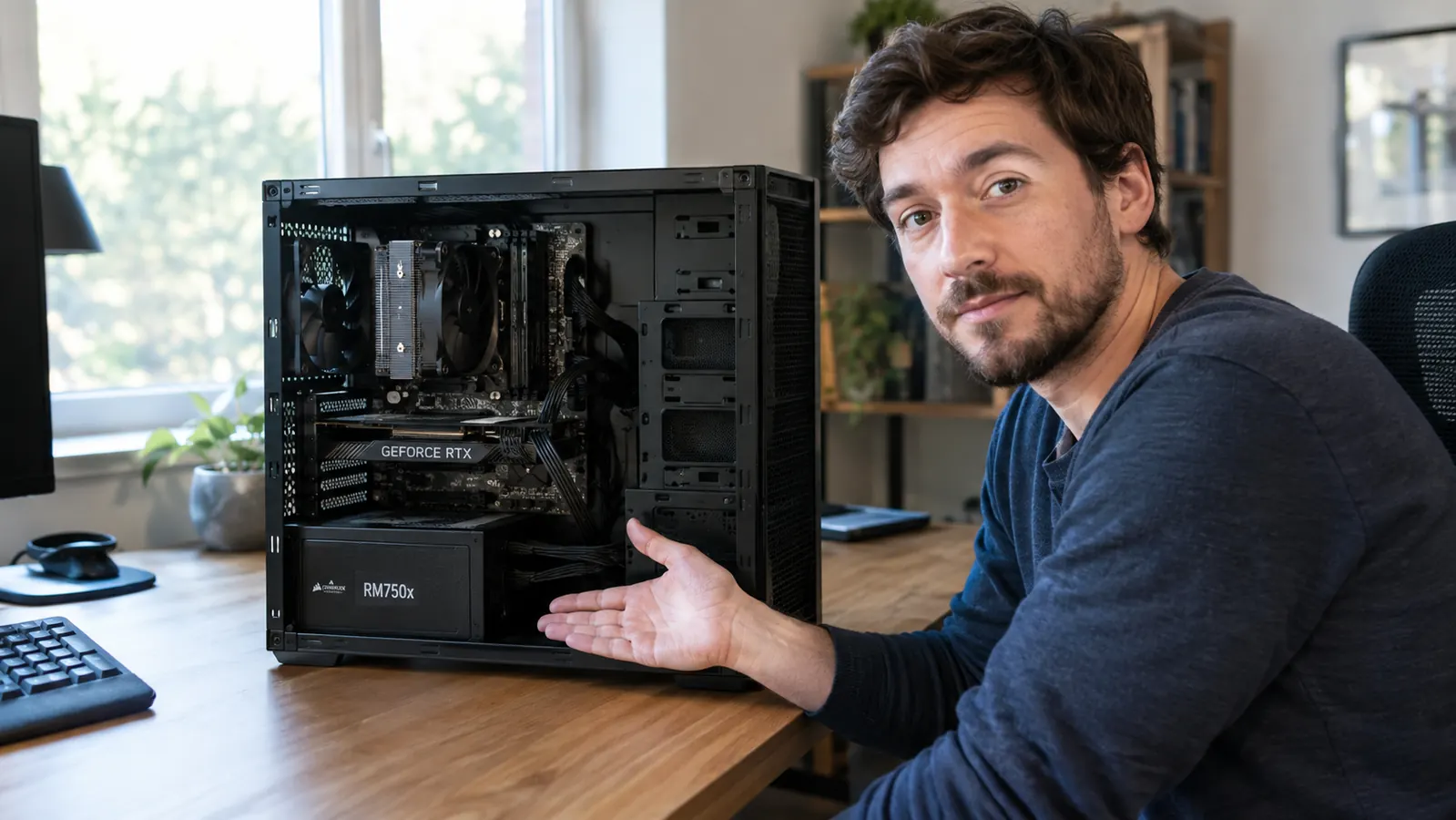
When I help a friend pick parts for a new PC, the power supply is always the last thing they want to talk about. They want to talk about the graphics card, the case, the RGB fans. Then I ask what power supply they were thinking, and I get the same answer almost every time: a blank look. That blank look is how people end up with a no-name 850 watt unit from a brand they cannot pronounce, and it's also why I've replaced more power supplies than any other part in twenty years of building. The Corsair RM750e is the unit I've been recommending to most of those people lately, and after running one in my own main rig since October, I have thoughts that do not fit on a spec sheet.
Full disclosure before I get into the details: I bought this unit myself, nobody sent it to me, and Corsair did not ask me to write anything. I've used Corsair parts in builds for years, mostly because they've been reliable in machines I've put together for family, but I'm not here to sell you on the brand. This is the honest version of a review, the stuff I'd tell you if you were standing in my office watching me swap a part. That means the good, the annoying, and the things I'd only admit after the first coffee.
The Quick Verdict
The RM750e is the power supply I'd put in most mid-range builds without a second thought, and the one I'd talk you out of only if you're planning a flagship GPU on a power-hungry CPU.
Amazon Check Today's Price →The power supply most mid-range builds should start with
Fully modular, quiet at idle, and ready for current graphics cards with a native 12V-2x6 cable. Check today's price on Amazon and see if it fits your build.
Amazon Check Today's Price on Amazon →How I've Used It
My main rig is a mid-tower I built myself, and I upgrade it one part at a time instead of replacing the whole machine. Last fall, the old power supply in it was showing its age, so I swapped in the RM750e. That is the honest test in my book: not a test bench with a watt meter, but six months of evening gaming sessions, weekend sessions with my son Owen, and a few long nights when a new game dropped.
The machine runs a mid-range graphics card and a current mid-range CPU, so I'm not pushing anywhere near the 750 watt limit. That is exactly the point. Most people who buy this unit will be in the same situation, and how it behaves in that normal, everyday context is what I can actually tell you about. I kept notes on the things that matter to me: fan noise at idle, fan noise under load, whether the cables fought me during installation, and whether the new 12V-2x6 connector was as easy to live with as the old 8-pin setup.
A note on my perspective: I'm an IT support technician, so I spend my workdays around hardware that has to run reliably, and I bring that same attitude to my own PC. I care less about benchmark numbers and more about whether a part does its job for years without me thinking about it. This review is written from that place.
The Truth About 750 Watts
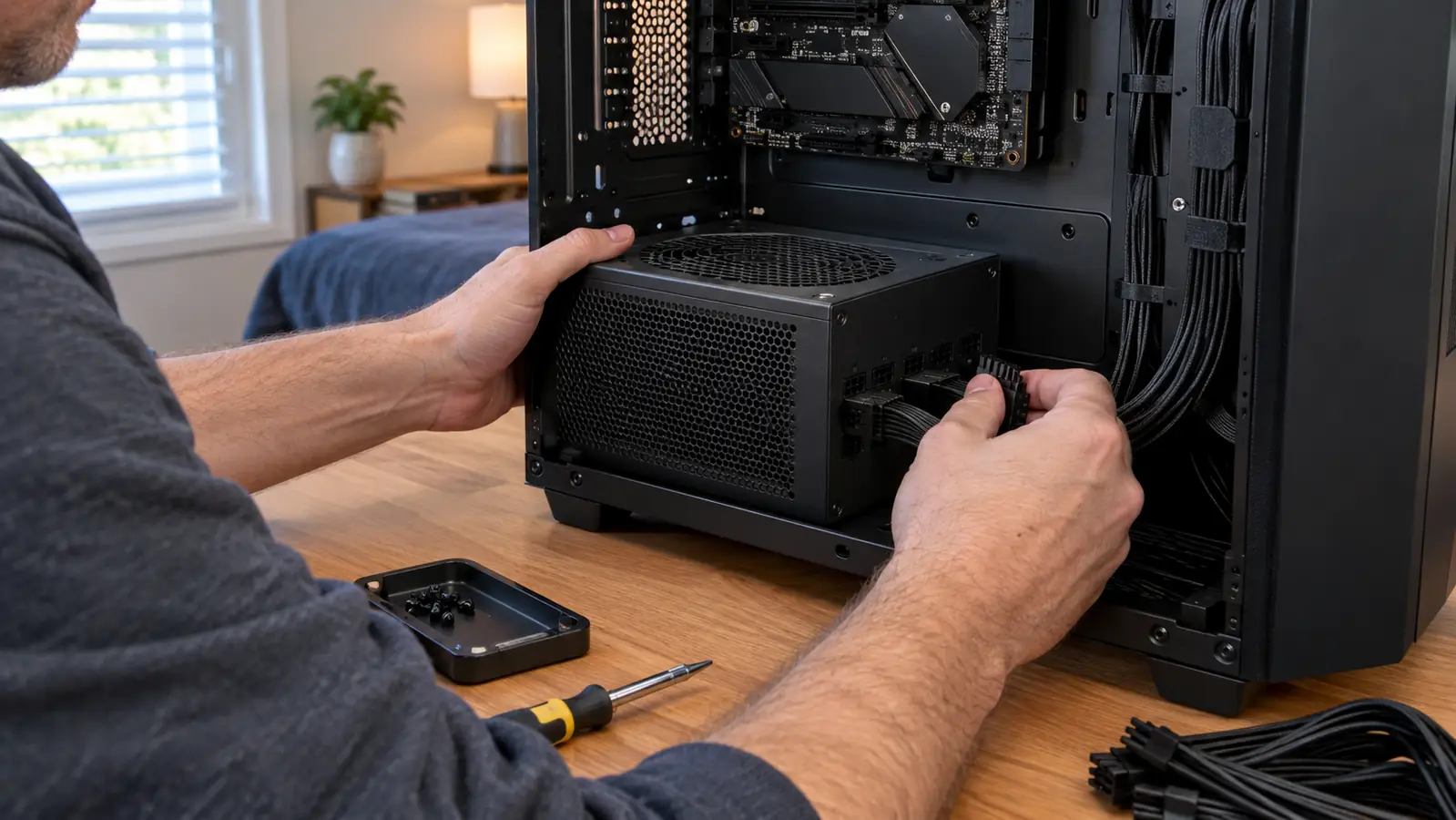
The first thing nobody tells you about power supplies is that most people buy too much. A typical mid-range build, something with a mid-tier graphics card and a mid-tier CPU, draws somewhere around 400 to 500 watts at full load, and that is being generous. A good 650 watt unit covers that with headroom. A 750 watt unit covers it with room to spare. If you are not planning a top-end GPU, you do not need 1000 watts, and anyone who tells you otherwise is probably selling you something.
With that said, 750 watts is not unlimited. If your plan is to drop a flagship GPU in next year, the kind of card that can pull 450 to 600 watts on its own under load, then the RM750e is the wrong starting point. You would be right at the edge of the unit's capacity, and a power supply that constantly runs near its limit gets hotter, spins its fan more, and leaves no room for the rest of the system. That is not a flaw in this unit. It is physics, and it applies to every 750 watt unit on the market.
The honest advice is to buy for the system you will have in two years, not the one you have today. If that future system includes a flagship GPU, go up a size. If it is a mid-range card, 750 watts is genuinely the sweet spot, and this unit is a good example of why. It also carries a Cybenetics Gold efficiency rating, which is a testing standard that is stricter than the older 80 Plus label. In everyday terms, the unit stays efficient across a range of loads instead of hitting one perfect point on a test bench.
When I put this unit in my own machine, my rule was simple: buy once, buy enough. The RM750e sits right at that line for a mid-range build. It gives you modern features, a brand with a track record, and enough wattage for the computer most people actually own. That is a harder combination to find than it sounds.
The New Connector, in Plain English
The RM750e is ATX 3.1 and PCIe 5.1 compliant, which sounds like marketing noise until you have dealt with the situation it replaces. For a few years, newer graphics cards shipped with a clunky adapter that converted three or four 8-pin plugs into one 12-pin connector. It worked, but it was stiff, ugly, and hard to route cleanly in a mid-tower case.
This unit has a native 12V-2x6 cable, which means it plugs straight into current graphics cards without the adapter brick. The 12V-2x6 standard is also the improved version of the earlier connector that made headlines for melting on some high-end cards. I am not going to pretend I can explain the electrical engineering in a way that would satisfy an engineer. The practical version is that the pins are longer, the contact is more secure, and the connector is rated to handle more power safely.
If you are building today with a current-generation card, this is the cable you want in the box. If you are building with an older card that uses 8-pin, the unit still has you covered with the standard cables, so nothing about your existing GPU changes. The unit also supports Modern Standby, which in practice means my PC wakes from sleep reliably, something I have fought with on older power supplies.
Noise: What the Spec Sheet Doesn't Tell You
The RM750e has a zero RPM mode, which means the fan does not spin at low loads. Sitting at the desktop, browsing, doing office work, the unit is effectively silent. My desk is in a spare bedroom that doubles as my home office, so I would notice if it were not. That part is exactly as advertised.
What nobody tells you is what happens when the fan does spin up. It is not loud, and it is not annoying, but you can hear it. There is a moment in a game when the load climbs, the fan starts, and you go from silence to a soft whir. Some people find that reassuring. Others find it a reminder that their PC is not as silent as they thought. I fall in the middle, and I would rather have the fan do its job than have a unit that runs hot to stay quiet.
The other honest note about noise is that power supplies are a lottery when it comes to coil whine, that high-pitched buzz some units make under load. My unit does not have it, but I have seen reviews from people whose units do. Corsair's quality control is generally good, but coil whine is not something any manufacturer can guarantee against. It is worth knowing before you buy so it does not surprise you after.
Where the 'e' Model Cuts Corners
The 'e' in RM750e stands for essential, and it is Corsair's way of telling you this is the value version of their RM line. The step up, the RM750x, has a larger fan, a longer warranty, and slightly better internal components. The capacitors in the e are rated for 105 degrees Celsius, which sounds like a spec sheet detail but is really about longevity. The e is the one that makes the price friendlier, and you should know what that trade looks like before you buy.
The cables are the thing I notice most. They are fully modular, which is great for cable management, but they are the flat ribbon style, not the individually sleeved cables you get with the RM750x. They work fine, and you can route them cleanly if you take your time, but they do not feel premium. In a case with a glass side panel, that is a small aesthetic downgrade you will see every time you look at your build.
The warranty is the cleanest way to see the difference. The RM750e comes with a seven year warranty, while the RM750x comes with ten. Both are long enough to cover the practical life of a power supply, but the difference matters if you are the kind of person who keeps a unit across two or three builds. I have had the e in my rig since October and it has not missed a beat, but I would be lying if I said I never thought about that warranty gap when I was choosing between the two.
For context, I also looked at comparable units from MSI and Seasonic before I settled on this one. Both make solid power supplies, and you would not be making a mistake with either. What pushed me to Corsair was the combination of the native 12V-2x6 cable, the fully modular design, and a warranty I could actually use if something went wrong. None of that makes the other brands bad. It just made this one the right fit for my build.
The Bottom Line
After six months, the RM750e is the unit I would put in my own build again, and I did put it in my own build. It does what a power supply is supposed to do: it delivers clean power, it stays quiet when you want quiet, and it has the modern connector that current graphics cards want. It is sitting at 4.7 stars on Amazon with close to a thousand ratings, and my experience lines up with that number.
Is it the best power supply Corsair makes? No. That would be the RMx line, and you pay for it. Is it the best power supply for most people building a mid-range PC right now? I think it is, and that is a more useful thing to know than any benchmark chart.
Would I change anything about it? I would put the sleeved cables from the RMx line in the box, even if it cost a little more. That is the one place where this unit feels like the budget option. Everything else, the silence, the connector, the reliability, feels like a unit that costs more than it does.
What I Liked
- Fully modular, so you only install the cables you actually need
- Zero RPM mode keeps it silent at idle and low loads
- Native 12V-2x6 cable means no adapter for current graphics cards
- Cybenetics Gold efficiency and capacitors rated for 105 degrees Celsius
- 750 watts covers the large majority of single-GPU builds
Where It Falls Short
- Flat ribbon cables feel less premium than the sleeved cables on the RM750x
- Seven year warranty, shorter than the ten years on the RM750x
- The fan is noticeable when it spins up under load
- No headroom for a future flagship GPU
- Coil whine is possible on any unit, this one included
Buy for the system you will have in two years, not the one you have today.
Who This Is For
This is for the person building a new mid-range PC, or upgrading an older one, who wants to buy the power supply once and not think about it again. If your graphics card is a mid-range model, your CPU is a mid-range model, and you have no plans to run two GPUs or a flagship card, the RM750e gives you clean, quiet, reliable power with room to spare. It is also for people who care about cable mess, because fully modular means you are not stuffing unused cables into the bottom of the case.
It is for the person who wants a modern connector for a current graphics card, so they do not have to deal with the adapter that comes in the GPU box. And it is for the person who wants a brand with a track record. When a power supply fails, it can take other parts with it, and that is a risk I do not take with no-name units. Corsair has been making these long enough that the risk feels manageable.
Who Should Skip It
Skip it if your next GPU is a flagship card. If you are planning a top-end build, buy a larger unit, and buy it before you need it, because a power supply is one of the few parts you can carry into a future build. The extra cost of going up a size is small compared to the cost of replacing a unit that is running at its limit.
Skip it if you want the premium feel. If the look of sleeved cables matters to you, or if you want the longer warranty and the larger fan of the RMx line, the RM750e will leave you wishing you had spent a little more. There is nothing wrong with the e. It just knows it is the value option, and it behaves like one.
Still deciding? This is the one I would start with
Six months of daily use says the RM750e handles mid-range builds with clean power and quiet operation. Check today's price on Amazon and see if it is right for your build.
Amazon Check Today's Price on Amazon →