

I've been building and upgrading gaming PCs for about twenty years, and the question I get asked more than any other is still the simplest one: wired or wireless? It usually comes down to two mice. The Logitech G502 Hero is the wired flagship that refuses to leave the conversation, and the Logitech G305 is the wireless budget pick that keeps winning people over. I've had both on my corner desk in my home office outside Richmond, Virginia, for the past month, swapping them between my own evening sessions and my son Owen's weekend gaming. Here's the short version: the G502 Hero is the better all-rounder and the better work mouse, while the G305 is the better pure gaming mouse for fast shooters and for anyone who hates cables.
Neither is a bad buy, and that's what makes this comparison annoying in the best way. Both use the HERO sensor, the same family of sensors Logitech G builds across its gaming lineup, and both have held up perfectly in my testing. The difference is how they're built around that sensor. The G502 Hero packs eleven programmable buttons, a free-spin scroll wheel, and adjustable weights into a wired body. The G305 keeps things lean: six buttons, a standard wheel, one AA battery, and a wireless connection that just works. If you already know you hate cables, the G305 answers that question on its own. If you want one mouse that does double duty for work and play, the G502 Hero is the one that stays on my desk.
How I Tested Both
I test mice the same way I test everything else in my PC builds: I just use them. No aiming charts, no lab equipment, no benchmark worship. I ran both through a month of evening sessions in shooters and RPGs, a few weekends where Owen and I swapped them between rounds, and a solid amount of everyday office work, since my corner desk doubles as my workstation for my IT support job.
I also paid attention to the stuff that never shows up on a spec sheet. Cable drag across the mousepad. Whether the scroll wheel clicks or free-spins. How the shape feels after three hours instead of three minutes. Whether I ever thought about the battery. That's where these two mice diverge hard, and it's why the spec comparison only tells you half the story.
| Logitech G502 Hero | Logitech G305 | |
|---|---|---|
| Connection | Wired, braided cable that never needs charging | Wireless 2.4 GHz, no cable on the desk |
| Weight | About 121 g, feels planted and steady | About 99 g, easier to flick around |
| Sensor | HERO 25K, up to 25,600 DPI | HERO sensor, up to 12,000 DPI |
| Buttons | 11 programmable buttons | 6 programmable buttons |
| Scroll wheel | Metal free-spin wheel, click or free-spin on demand | Standard rubber wheel, clicky only |
| Battery | No battery, powered by the cable | One AA battery, roughly 250 hours |
| Weight tuning | Five 3.6 g weights under the base | None, but it's light already |
| Price | Costs more, usually on sale | Usually the budget pick |
| Best for | Work and play on one desk | Fast shooters, travel, smaller hands |
Where the G502 Hero Wins
The G502 Hero wins on almost every category that matters for a desktop mouse. Eleven programmable buttons sounds like overkill until you're playing an MMO or doing IT support work where you want a hotkey for everything. I've got mine mapped for copy, paste, and a few system shortcuts during the day, then remapped for abilities and inventory during evening sessions. The layout is forgiving, too: every button sits within reach without shifting my grip, which is more than I can say for mice that look like they were designed for someone with three hands.
The scroll wheel is the sleeper feature. It has a free-spin mode that lets the wheel just spin, so you can fly through a long document or a spreadsheet in one flick, and a clicky mode for when you need precise steps in-game. That alone makes the G502 Hero a better work mouse than the G305. Then there are the adjustable weights, five small discs tucked under the base, so you can tune the balance to match your grip. It's a mouse that rewards you for spending a few minutes setting it up.
There's also something to be said for the wired connection itself. No battery to swap, no dongle to lose, no wireless interference to wonder about. For a desktop that never moves, that's a genuine advantage, and it's one of the reasons this mouse has stayed popular for so long. The braided cable is stiff at first, but it softens up within a week and stays out of the way once you route it properly.
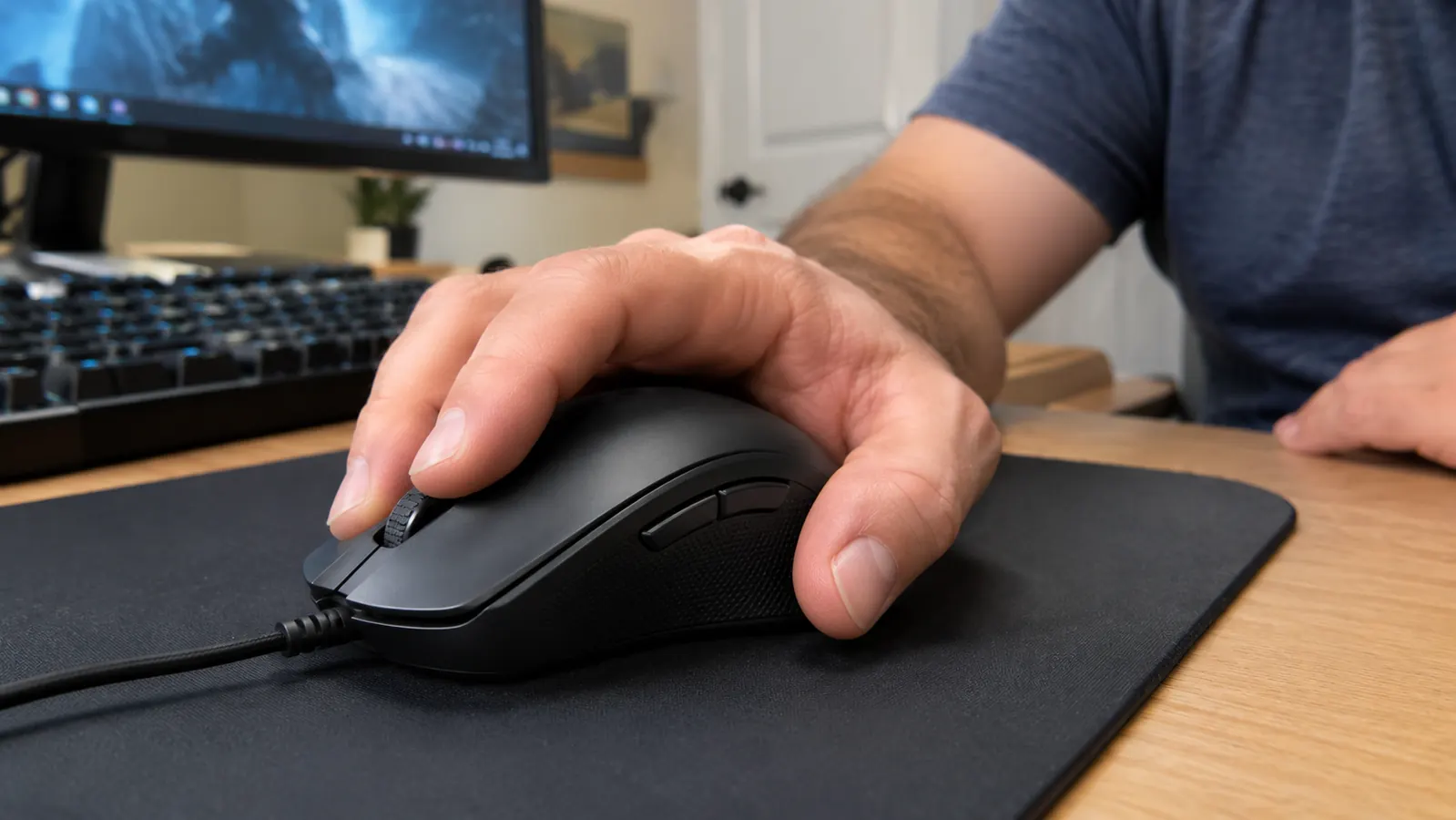
In the hand, the G502 Hero feels substantial without feeling bloated. The right-handed shape fills my palm nicely, and the textured grip on the left side keeps my thumb planted during long sessions. It's not a mouse for tiny hands, but for an adult hand it's about as comfortable as wired mice get. After three hours of gaming, my hand doesn't cramp, which is more than I can say for some lightweight mice that trade comfort for grams.
Where the G305 Wins
The G305 wins the two things most people notice within the first minute: weight and cable. At about 99 grams, it's noticeably lighter than the G502 Hero, and that shows up in fast shooters where you're making quick, small corrections. Paired with the wireless connection, it feels like the mouse is just an extension of your hand, because there's no cable dragging across the mousepad or catching on the edge of the desk. I played a few rounds with it and immediately understood why so many FPS players swear by it.
It also wins on battery life and portability. One AA battery lasts around 250 hours, which for Owen's weekend sessions means months before it needs a swap. And because it's smaller and lighter, it's the one I'd grab for a laptop bag without a second thought. The G502 Hero stays home. The G305 is the better travel companion, and it's usually the cheaper buy, which makes it the safer first gaming mouse for someone who isn't sure what they want yet.
The simpler button layout is a feature, not a flaw, for a lot of people. Six buttons is plenty for most games, and there's no risk of hitting the wrong one in the middle of a fight. The G305 is also easier to recommend to someone with smaller hands, since the body is shorter and narrower. It doesn't have the G502 Hero's party tricks, but it doesn't try to. It knows exactly what it is.
The G305 also handles the wireless side of things cleanly. The receiver is tiny, the connection has been rock solid in my testing, and there's a slot in the base to store the receiver when you travel. Logitech G has been making wireless gaming gear long enough that the basics feel effortless, and the G305 is proof of that.
Is Wireless as Good as Wired?
This is the question I get from everyone who's still on the fence, and the honest answer is: for the vast majority of players, yes. Modern wireless mice like the G305 don't have the lag or dropout issues that plagued early wireless gaming mice. I've played the same shooters back to back with both mice, and I could not feel a difference in response time. The technology has simply caught up.
The real trade-off is not latency. It's battery and weight logistics. The G305 needs a AA battery every few months, and the G502 Hero needs nothing but the cable. If you're the kind of person who forgets to check batteries, the wired mouse is genuinely less stressful. If you're the kind of person who hates feeling a cable tug, the wireless mouse is worth the occasional battery swap.
The G502 Hero is the one I keep on my desk for work and play. The G305 is the one I'd grab for a weekend of fast shooters. After a month of swapping, both earn their spot.
The wired all-rounder that still earns its place on my desk
If you want one mouse that handles spreadsheets, MMOs, shooters, and everyday work without ever needing a charge, the Logitech G502 Hero is the one I'd buy again. It's the mouse I keep reaching for after a month of testing.
Amazon Check Today's Price on Amazon →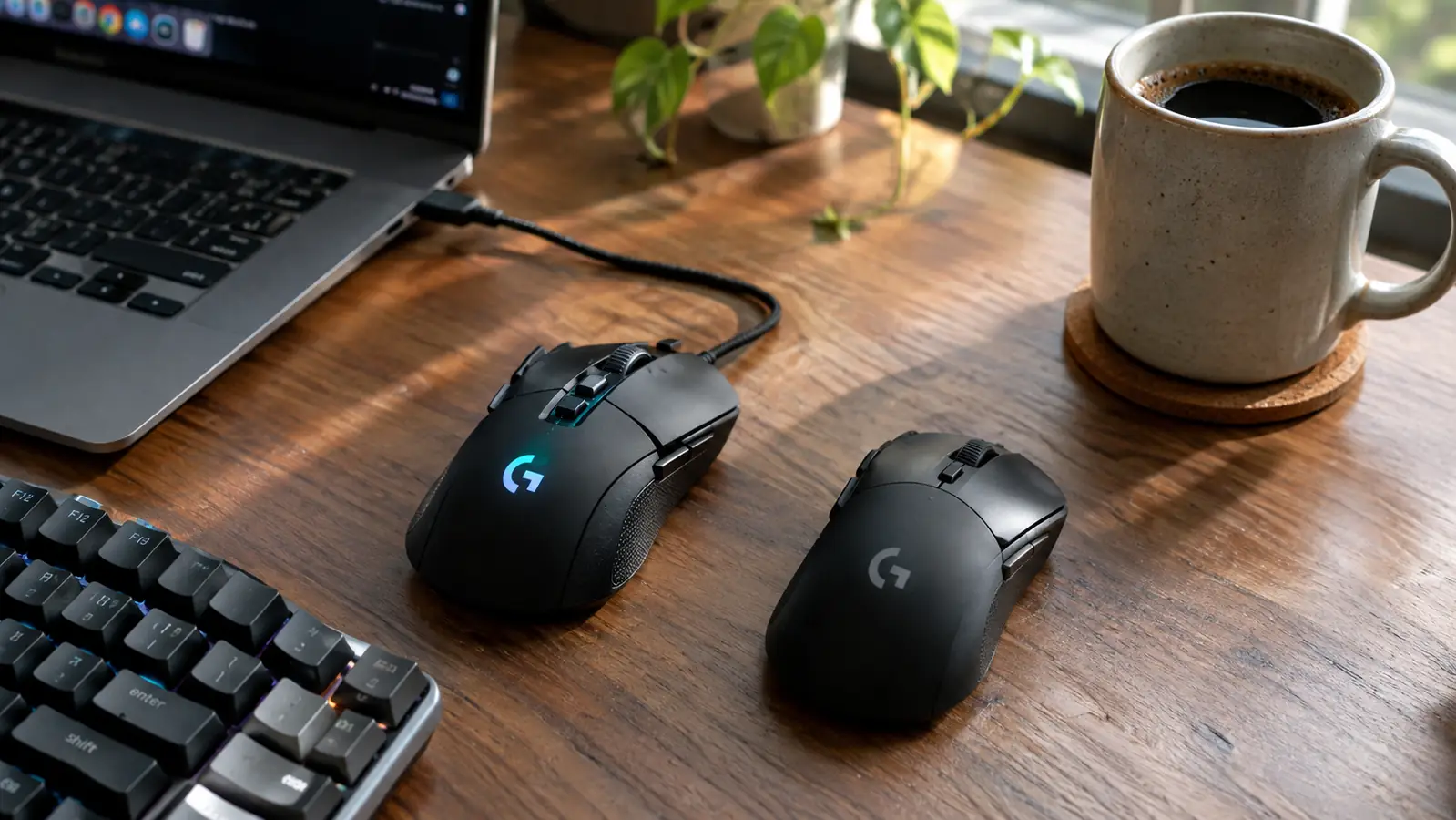
Who Should Buy Which
Buy the Logitech G502 Hero if you want one mouse for everything. If your desk doubles as a workstation, if you play a mix of games rather than one competitive shooter, if you like having a button for every task, or if you simply never want to think about batteries or dongles, the G502 Hero is the easier recommendation. It's heavier, but that weight reads as stability once you're used to it, and the free-spin wheel is the kind of feature you don't appreciate until you've used it for a week and then tried to go back.
Buy the Logitech G305 if your priority is a light, wireless, no-fuss gaming mouse. If you play fast shooters most of the time, if you travel with your setup, if you have smaller hands, or if you're on a tighter budget, the G305 is the smarter buy. You give up the buttons, the free-spin wheel, and the weight tuning, and you'll need a spare AA battery eventually, but you'll forget it's wireless within an hour. That's the highest compliment I can give a wireless mouse.
And if you're still torn, think about where the mouse will live. The G502 Hero is a desk mouse through and through. It wants to stay in one place, plugged in, with its cable routed neatly around the back of your monitor. The G305 is the opposite: it's happiest being thrown in a bag and used anywhere. There's no wrong choice, but there is a right one for your setup, and that's the question worth asking before you spend a cent.
There's a middle path, too. Some people keep the G502 Hero on their main desk and own a G305 for travel or for when they want a lighter feel. That sounds like a luxury, but both of these mice are common enough that it's a reasonable setup if you game in two places. If you can only buy one, though, the decision comes back to the same question: does your mouse live on one desk, or does it come with you?
A Few Things Worth Knowing
Two small notes from my testing. First, the G502 Hero's software lets you save profiles to the mouse itself, so your button mappings follow you even if you plug it into another machine. That's been handy when I've had to work on a colleague's PC and wanted my usual shortcuts. Second, the G305 stores its receiver inside the body when you're not using it, which sounds minor until you've lost a dongle before. Small details like these tell you a lot about how a company thinks about everyday use.
One more thing: don't overthink the DPI numbers. Both of these sensors are far more accurate than any human hand, and the difference between 12,000 and 25,600 DPI is not something you will ever feel in a real game. What you will feel is weight, cable, button placement, and battery life. Those are the specs that actually decide which mouse you keep.
The Bottom Line
After a month of daily use, the G502 Hero is still the mouse on my desk, and the G305 is the one I hand to Owen when he wants to try a lighter setup. If I had to keep only one, it would be the G502 Hero, because it does more jobs well. But it's a close call, and it's a call only you can make for your own grip, your own games, and your own desk.
Whichever you pick, you're getting a HERO sensor and a Logitech G build that has held up across the two decades I've been building PCs. There's no wrong answer here. There's just the right answer for your specific setup, and now you know exactly how to find it.
Still leaning toward the all-rounder?
The Logitech G502 Hero handles work, play, and everything in between, and it never needs a battery. Check today's price and see if it fits your desk.
Amazon Check Today's Price on Amazon →