

Twenty years of building gaming PCs has made me picky about the parts I plug into them, but nothing gets more of my stubbornness than the mouse. I've owned featherweight mice with honeycomb shells, convinced myself every gram mattered, and spent real money chasing the lightest thing I could find. Then my main mouse started double-clicking mid-raid, and I needed a replacement that would show up fast and just work. I ordered the Logitech G502 Hero on a Tuesday, and it has sat on my desk every day since.
I say 'sat on my desk' because that's where it lives now, not in a drawer with the other experiments. This is the review I'd want to read before buying: what the G502 Hero is actually like after months of evening sessions, weekend gaming with my son, and eight-hour workdays in the same chair. It is not the lightest mouse, not the prettiest, and not the cheapest. It might still be the most sensible thing on my desk.
The Quick Verdict
The G502 Hero is a heavy, wired, slightly old-fashioned mouse that happens to be one of the most dependable things I've used in years. If you want the lightest gear on the market, look elsewhere. If you want a mouse that tracks perfectly, never needs charging, and still works exactly as it did on day one, this is hard to beat.
Amazon Check Today's Price →The mouse I've used every night for six months
If you're tired of mice that feel great in the store and drift a week later, the Logitech G502 Hero is worth a look. It's built around a sensor that simply doesn't miss, and it has survived everything I've thrown at it.
Amazon Check Today's Price on Amazon →How I've Used It
The G502 Hero lives on a corner desk in the spare bedroom that doubles as my home office, so it has to pull double duty. During the day it scrolls through spreadsheets, answers tickets, and handles all the boring clicking that pays for the fun stuff. In the evening it plays a few hours of tactical shooters, and on weekends my son Owen and I trade it back and forth depending on whose turn it is on the PC.
Setup took about ten minutes. I installed Logitech G HUB, set the sensitivity to 1600 DPI for general use and 800 for shooting games, and mapped the two thumb buttons to push-to-talk and melee. The dedicated DPI-shift button behind the scroll wheel, the one that temporarily drops your sensitivity, I remapped to a crouch key because I never liked the feel of the default. The first night of real play, my aim felt slightly off, not bad, just different, because the sensor sits in a slightly different spot than my old mouse's. I spent ten minutes in an aim trainer getting used to it, and by the third match that night I had stopped thinking about the mouse entirely. One evening was all it took for the muscle memory to catch up, and it has felt natural ever since. That's the thing about this mouse: eleven buttons sounds like a gimmick until you actually use them.
I also run it without the extra weights in the base, which is worth knowing because the mouse ships with five small weights you can add or remove. Out of the box with all of them installed it feels heavy. With them out, it's still heavy by modern standards, but it stops being distracting. More on that in a minute.
Why a 121-Gram Mouse Still Makes Sense
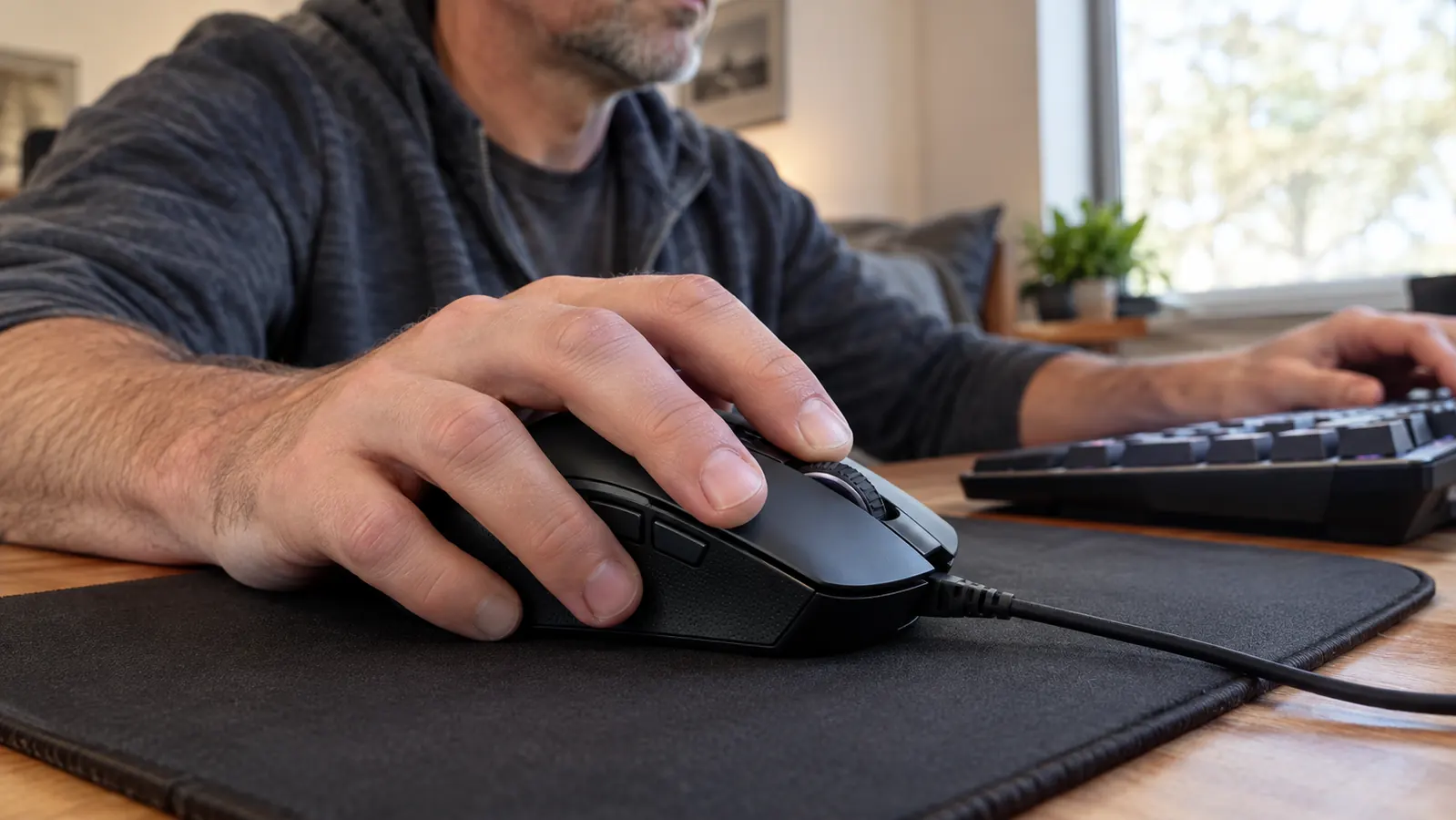
Let's address the number everyone argues about. The G502 Hero weighs about 121 grams, and the current fashion in gaming mice is to get under 60. I own mice that light. I also stopped using them, because for the way I actually play, light weight kept turning into twitchy aim and a mouse that skittered across the pad when I got excited.
Here's the honest version of the weight story: it only matters once you find the sensitivity that suits you. I play at 800 DPI with a relaxed palm grip, which means I move the mouse from the elbow, not the wrist. At that setting, the G502 Hero's mass is a feature. It settles, it stops on a dime, and it doesn't drift when I take my hand off it. I remember the night I gave up on the lightweight mouse for good: a ranked match on a Monday night back in the spring, I got surprised around a corner, flinched, and the mouse skated a good three inches off target. I lost the duel, we lost the round, and I ordered this mouse the next morning. The G502 Hero has never done that to me, because it doesn't move unless I move it. If you play at high sensitivity and flick from the wrist, the weight will wear you out in an hour. Know which one you are before you buy.
The tunable weight system is the part I expected to hate and ended up using once. There are five 3.6-gram weights that tuck into the base, and you can arrange them front, back, left, or right to shift the balance point. I took them all out on day two and never touched them again. But I'm glad they're there, because the weights come in the box and the mouse can be tuned for someone like my son, who likes a little more heft.
The Sensor, the Buttons, and the Wheel You'll Use Daily
The headline spec is the HERO 25K sensor, which Logitech G rates at up to 25,600 DPI. I will never use that number, and neither will you. What matters is that the sensor is accurate at the settings people actually use, it doesn't add acceleration or smoothing, and it has not spun out once in six months on the cloth pad I use. My old mouse would occasionally jump when I lifted and slammed it down; the G502 Hero tracks through that without a twitch. There was one night last month during a frantic firefight when I got careless and slammed it down mid-flick, and it held its line without a single skip. The old mouse would have done its little jump and I would have been staring at the ceiling. That kind of consistency is hard to put on a spec sheet, but it is the reason I stopped shopping around.
The eleven programmable buttons are the other half of the story. I use maybe seven of them, which is still more than I've used on any other mouse. The two thumb buttons sit exactly where my thumb rests, so push-to-talk is a natural squeeze rather than a stretch. The two buttons beside the left click I use for reload and weapon swap in games that don't have enough keybinds. The scroll wheel tilts left and right, which I mapped to horizontal scrolling in spreadsheets, and the middle click is heavy enough that I've never hit it by accident.
And then there's the wheel itself, which is the sleeper feature of this mouse. It has two modes: a notched mode for precise scrolling in games and a free-spin mode that lets the wheel coast. One button on top switches between them. For a long settings page, a dense spreadsheet, or a 400-page PDF, free-spin mode is genuinely the fastest way to get to the bottom. I didn't buy the G502 Hero for this wheel. I'd buy it again for this wheel.
Software and Setup: The Part Nobody Warns You About
Logitech G HUB is where you program the buttons, set the DPI stages, and tweak the RGB lighting. It works, and once everything is saved to the mouse's onboard memory, you can uninstall it and the mouse keeps your settings on any PC. That's the right design: the mouse, not the software, carries your profile.
The honest caveat is that G HUB occasionally gets in its own way. Updates sometimes reset your lighting settings, and the first time you plug the mouse into a new machine it may prompt you through a setup flow you don't want. I've also had it lose the custom DPI stages once, which was a two-minute fix. None of it has ever cost me a game, but I'd be lying if I said the software was as polished as the hardware. You set it up once, save to onboard memory, and mostly forget it exists.
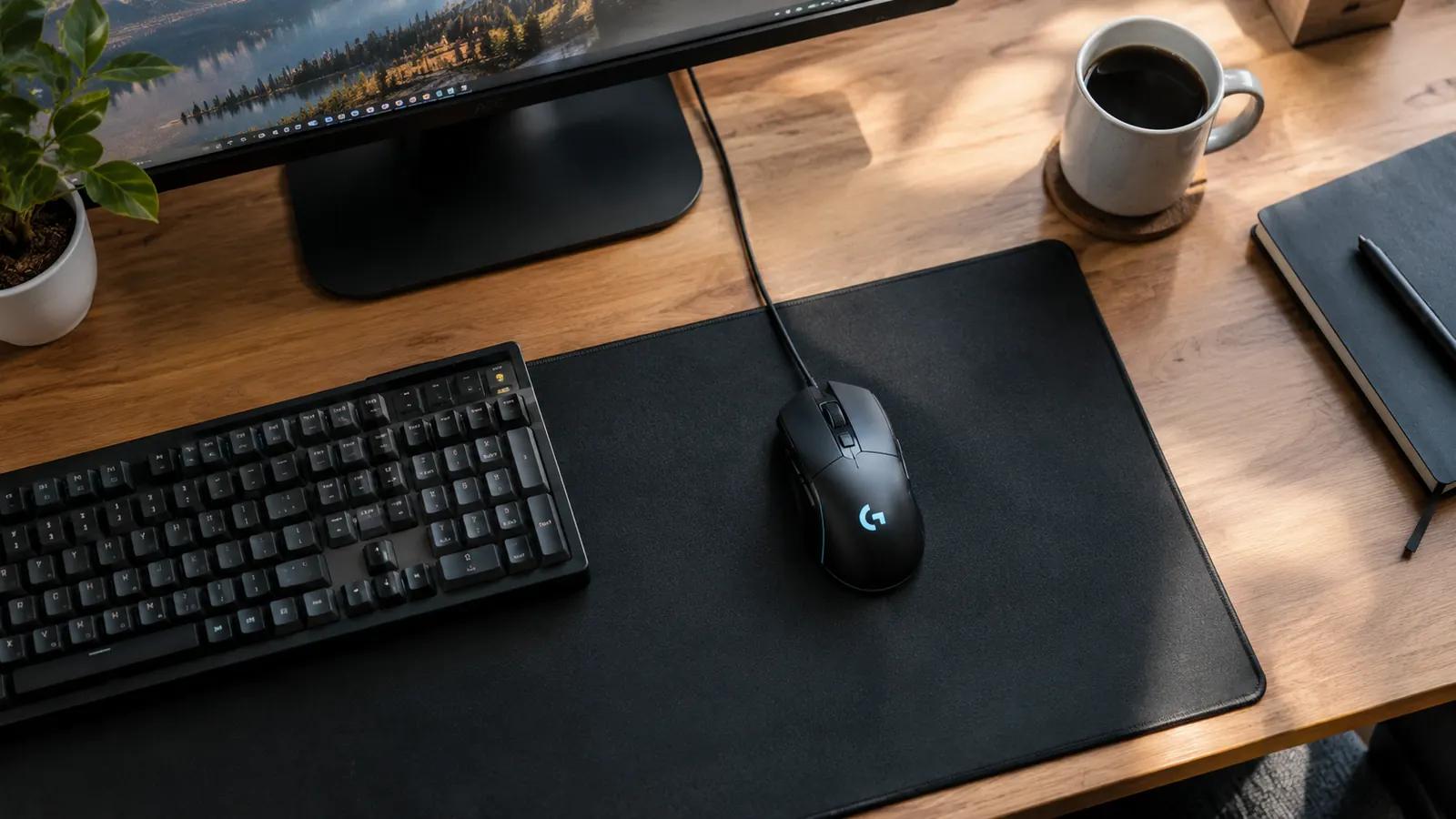
RGB is on the right side of tasteful here. The G logo on the palm area and a thin strip behind the wheel light up, and you can sync them with other Logitech G gear if you have any. I leave mine on a steady color and don't think about it again. The lighting adds nothing to the mouse's job, but it also doesn't scream, which is more than I can say for some of the stuff my son has asked for over the years.
Six Months In: What Wears Well and What Doesn't
Here's the proof that matters most to me: the G502 Hero still feels exactly like it did on day one. The buttons haven't developed the mushy feel or double-click problems I've had with other mice. The scroll wheel still clicks through its notches cleanly. The rubber on the thumb rest has worn smooth in one small spot, which is cosmetic and took about four months to show up. The cable is the one thing I'd change.
The cable deserves its own paragraph. It's braided, which is good, but it's also stiffer than the cables on my lighter mice, and on a desk it has a bit of a mind of its own. The first week, it kept hooking the edge of my mousepad and pulling the mouse just enough to notice during a flick. I tried tucking it under the pad, which worked for a day and then slid out. A clip-on cable holder fixed it in two minutes, and I haven't thought about it since. On a clean desk with the cable routed around the back of the monitor, the mouse feels almost wireless, right up until you tug the cable and remember it's there. That's the honest summary: the cable needs one small solution, and then it disappears. If you're coming from a wireless mouse, the cable will be the thing you notice first. It's not a dealbreaker, but it's real, and pretending otherwise would be dishonest.
Battery life is the other thing that wins without trying. There is no battery. It's a wired mouse, so it never dies in the middle of a session, never needs to be put on a charger overnight, and never loses connection. That sounds like a small thing until you've had a wireless mouse die during a ranked match. For my money, that trade is worth the cable.
Six months in, the buttons haven't developed the double-click problems I've had with other mice, and the sensor hasn't spun out once.
Alternatives I Considered (and Why I Stayed)
I tested the G502 Hero against a couple of other mice before I settled on it. The Logitech G305 is a wireless option that's lighter and easy to travel with, but the shape is smaller and I found the two side buttons harder to reach during a match. The G502 Hero's extra buttons and the free-spin wheel won out for the way I split my time between work and games.
I also spent a weekend with a much lighter mouse from another brand, the kind with holes in the shell that everyone on forums recommends. It was fine. It was also cold against my hand, picked up dust, and forced me to lower my sensitivity to keep it steady. That weekend reminded me that the spec sheet isn't the whole story. Comfort and consistency win more matches than five grams of weight savings.
What I Liked
- HERO sensor is accurate at everyday settings and has never spun out on my cloth pad
- Eleven programmable buttons, with the two thumb buttons exactly where your thumb rests
- Hyper-fast scroll wheel is the best productivity feature I've found on a gaming mouse
- Onboard memory keeps your settings on the mouse, no software required after setup
- Built like a tank; six months of daily use with no functional wear
Where It Falls Short
- Heavy at about 121 grams, especially at high sensitivity with wrist flicks
- Braided cable is stiffer than modern cables and needs a holder to stay out of the way
- Logitech G HUB software is functional but occasionally resets settings after updates
- Thumb-rest rubber wears smooth in one spot, cosmetic but visible
Who This Is For
The G502 Hero is for the person who wants one mouse that does everything, and doesn't care about the weight leaderboard. It's for the gamer who plays a couple of hours a night, does real work on the same PC, and wants buttons and a scroll wheel that make both better. It's for people with medium to larger hands who use a palm or relaxed claw grip. And it's for anyone who is tired of charging things, because wired means it just works.
Who Should Skip It
Skip it if you play fast shooters at high sensitivity and flick from the wrist, because 121 grams will get old by the third match. Skip it if you've gone wireless and can't go back, because the cable is a real adjustment even with a holder. Skip it if you want the lightest possible mouse, because the G502 Hero is the opposite of that trend. And skip it if you hate software, because while you only need G HUB once, you do need it once.
Six months is long enough for the newness to wear off and for a product to show its real character. The G502 Hero's real character is dependable. It doesn't try to win the weight argument, and it doesn't need to. It tracks, it clicks, it scrolls, and it keeps doing all three exactly the same way every single night. That consistency is why it's still on my desk, and why it will be for a while longer.
Still the most sensible thing on my desk
Six months in, the Logitech G502 Hero is the mouse I recommend to anyone who asks what they should buy for a new build. It's not the lightest or the flashiest, but it's the one I'd replace with the exact same model tomorrow.
Amazon Check Today's Price on Amazon →