

If you have ever lost a fight in a game and blamed your keyboard, you were probably right. I am Mark, and I have been building and upgrading gaming PCs for about twenty years. For most of that time I used whatever membrane keyboard came with a prebuilt or sat in a drawer. Then I switched to a mechanical keyboard, the Logitech G413 SE, and the difference showed up in the first match. Not because it made me a better player overnight. Because it made every input feel deliberate, and that changes how you play.
This is not a spec sheet lecture. It is a list of ten reasons a mechanical keyboard improves your gaming, based on months of daily use on my main rig in a corner desk that doubles as my home office. I will also tell you what I would skip, because no keyboard is right for everyone.
The keyboard I kept on my desk for months
The Logitech G413 SE is the full-size mechanical keyboard I have used daily for gaming and work. It is built to take years of abuse, and the tactile switches give you feedback on every press.
Amazon Check Today's Price on Amazon →You feel the exact moment a key registers
With a membrane keyboard, every press feels the same: a soft mush at the bottom. A mechanical switch has a tactile bump partway down, so you know the key has registered before you bottom out. In a game where one mistimed ability can lose a round, that feedback is not a luxury. It is the difference between guessing and knowing. I noticed it the first evening on a simple thing: I stopped double-pressing the spacebar. On my old board I had picked up the habit of hammering it twice because I could not tell if the first press had landed. Within one session on the Logitech G413 SE, that habit was gone. It sounds small, but in a tight match it means you stop wasting inputs and start trusting the keyboard, and that trust is the real upgrade.
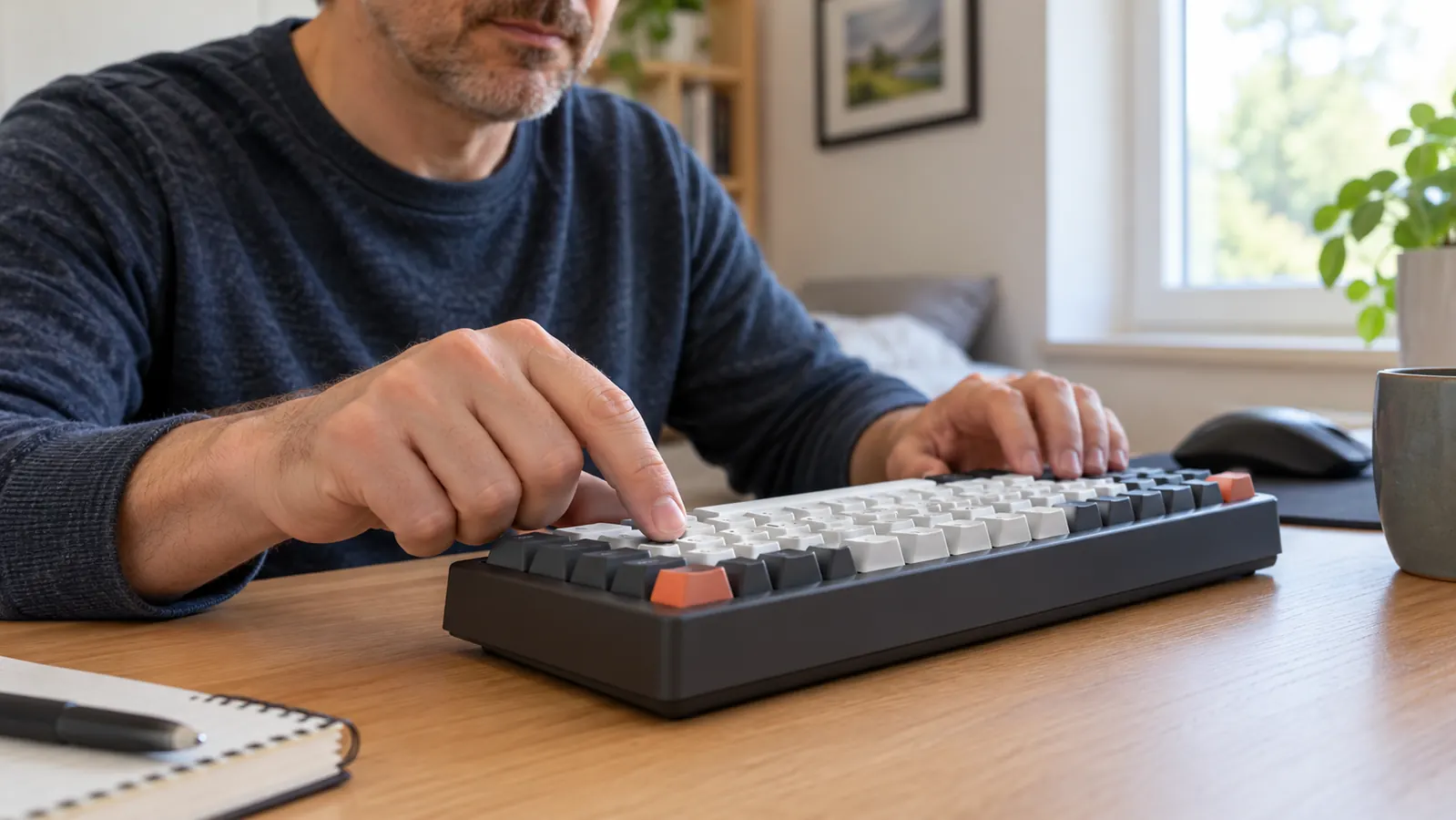
Faster response when it matters
Mechanical switches register a press sooner than most membrane keyboards, and the Logitech G413 SE is no exception. You will not suddenly win every duel, but you will stop noticing the lag between your finger and the screen. The clearest test came on a Saturday when Owen and I ran a co-op mission. I had to crouch, strafe, and swap weapons while a timer counted down. On the membrane board I would clip one of those inputs and eat a hit. On the Logitech G413 SE, the same sequence came out clean on the first try. That is the kind of difference you do not see on a spec sheet; you feel it the moment it matters. It did not change my aim overnight, but it removed one more excuse between me and a clean play.
Every key press sounds and feels consistent
On a cheap membrane board, some keys feel different from others after a few months. The Logitech G413 SE uses the same switch under every key, so the left shift and the spacebar feel like the rest of the board. That consistency matters when you are pressing the same keys for three hours on a weekend session with my son Owen.
Built to survive years of gaming
The G413 SE has an aluminum top case and a design that does not flex when you lean on it. I have had mine since February, and it still feels as solid as the day it arrived. The aluminum has picked up a couple of small scuffs from my wedding ring, but the keys all feel the same as they did on day one. In March I pulled the keycaps to brush out crumbs from lunch at my desk, and it took about ten minutes. That is the kind of abuse a plastic board would not take without developing a mushy spot. I do not baby it, and it has not asked me to yet. Membrane keyboards wear out quietly: a key gets mushy, then unresponsive. A mechanical board is easier to clean and built to be opened up if something does go wrong.
You can type on it all day without fatigue
Because the switch registers before you bottom out, you do not need to slam every key. That is a bigger deal than it sounds when your desk doubles as a home office. I type tickets at work, then game in the evening, and my fingers do not feel worn out at the end of the day.

No ghosting when you press several keys at once
Gaming often means holding W, pressing Shift, and hitting Space at the same time. Cheaper keyboards can drop one of those inputs. I found this out the hard way on an old membrane board in a game where I had to hold W, press Shift, and hit Space to vault over cover. The jump would not register maybe one time in ten, and I would die with my character still running into a wall. On the Logitech G413 SE, the same three-key press comes out every single time. That is what anti-ghosting actually means, and it matters more than the marketing makes it sound. It is not a feature you will show off, but it is the one that keeps a close round from ending on a dropped input.
The tactile bump keeps you in the game
Tactile switches give you a small bump at the point of actuation. You learn to feel it without looking at the keyboard. That means your eyes stay on the screen, and your fingers find the right keys by feel. After a few evenings, you stop hunting for keys entirely.
It does not slide around during intense matches
The G413 SE has a solid, heavy base with rubber feet that keep it planted. When a match gets intense and you are pressing keys hard, the board stays where you put it. A light keyboard that slides across the desk mid-fight is a distraction you do not need.
The full-size layout keeps every key where you expect it
Some gaming keyboards drop the number pad to save space. The Logitech G413 SE keeps the full layout, so every key is where it has always been. If you use the number pad for binds, or you type numbers for work, you do not have to relearn anything.
It makes you want to practice more
This is the reason nobody puts on a spec sheet. When your keyboard feels good to press, you want to keep playing. I have spent more evenings at my desk since switching, and my aim has improved simply because I am putting in more time. A keyboard that makes practice enjoyable is worth more than any single feature.
What I'd Skip
If you only play a couple of hours a month, or you are happy with the keyboard that came with your computer, you do not need to spend money on a mechanical board. The Logitech G413 SE is also not for you if you need a quiet keyboard for a shared room: mechanical switches are louder than membrane ones, and the sound carries. And if you want per-key RGB lighting, this board is not the one, because it has a simpler backlight. None of those are flaws. They are just reasons to know what you are buying.
When your keyboard feels good to press, you want to keep playing. That is the reason nobody puts on a spec sheet.
The keyboard I kept on my desk for months
The Logitech G413 SE is the full-size mechanical keyboard I have used daily for gaming and work. It is built to take years of abuse, and the tactile switches give you feedback on every press.
Amazon Check Today's Price on Amazon →